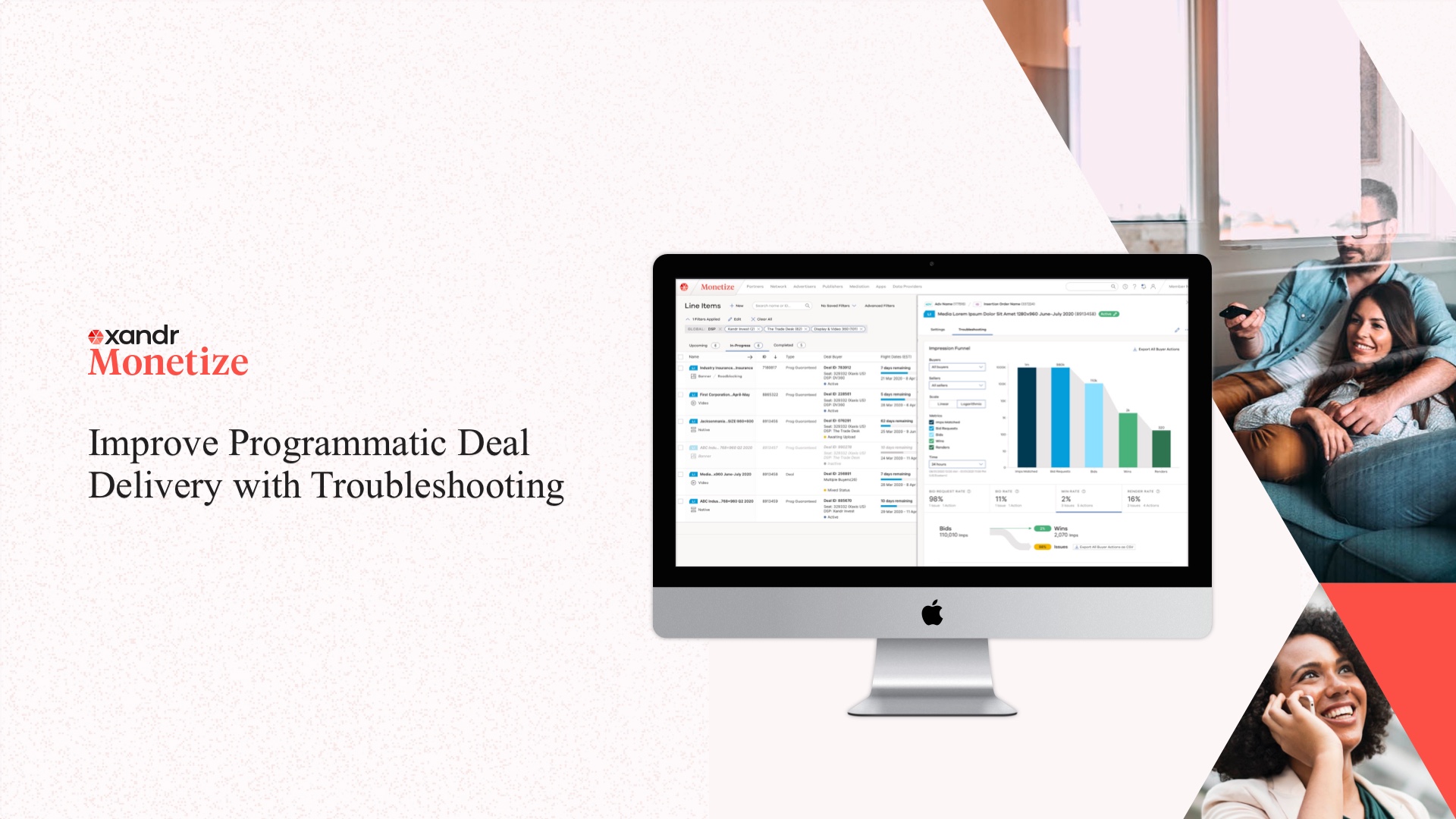
I led the designs for the Deal Troubleshooting and Monitoring interface, a set of tools allowing Xandr Monetize users to monitor live transactions of programmatic ads, inspect and resolve errors efficiently, and have a successful overall transaction experience.
The Deal Troubleshooting interface situates in Xandr Monetize, the sell-side platform for media publishers to monetize their ad inventories by reaching to a wide range of buyers (advertisers or media agencies) and using a variety of audience-targeting channels.
My Role
Lead UX Designer
Tools
Sketch, pen & paper, virtual whiteboards, Jira, HTML/CSS
Team
Product Manager, Engineering Team, Ad Ops, CSM
Duration
5 Months
PROJECT BACKGROUND
Programmatic Ad Buying using Deals
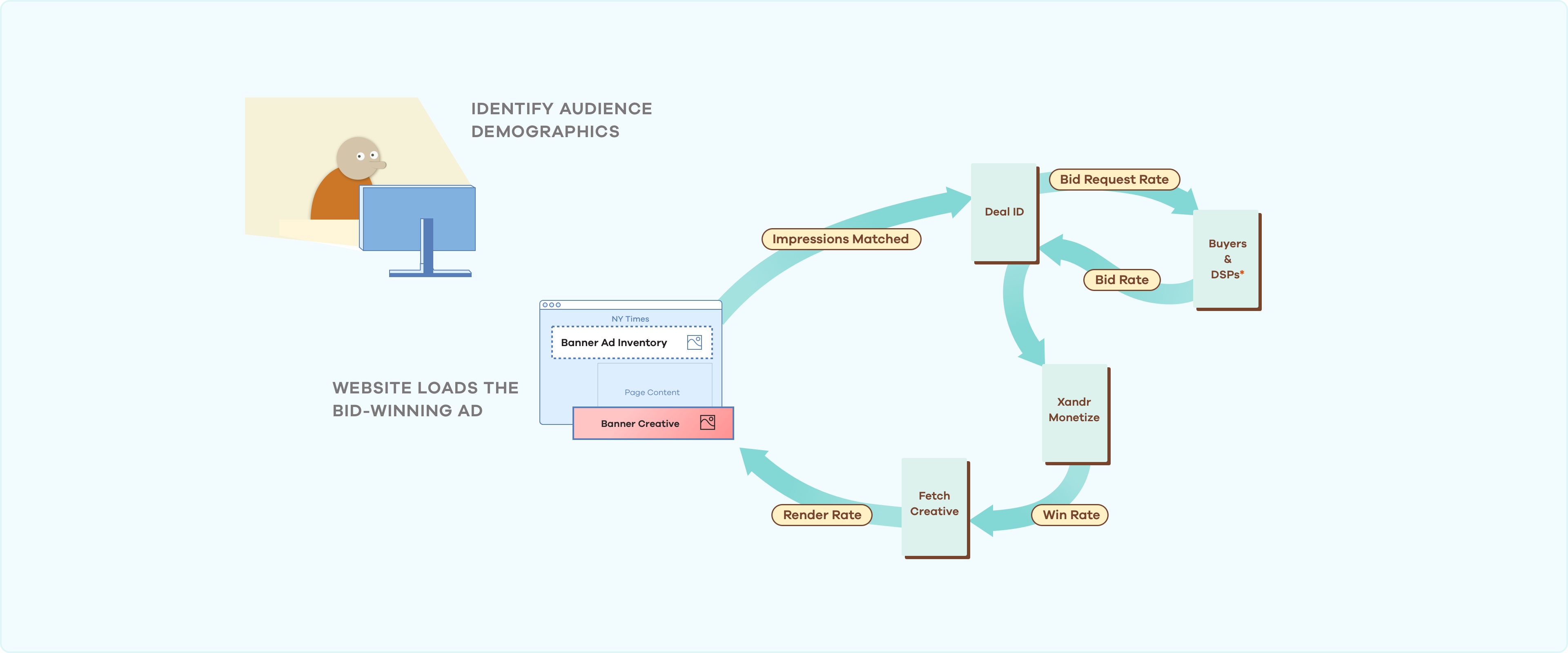
Websites we visit show us uniquely targeted ads based on their estimation of who we are. This ability to target audiences demographically, and determine which ad to render in real time is powered by “Ad Exchange” platforms like Xandr.
The challenge, however, is that there can be many sources of errors when Publisher is automating millions of ads to be rendered with different creatives and through different devices.
Limitations of Xandr's Product Offering
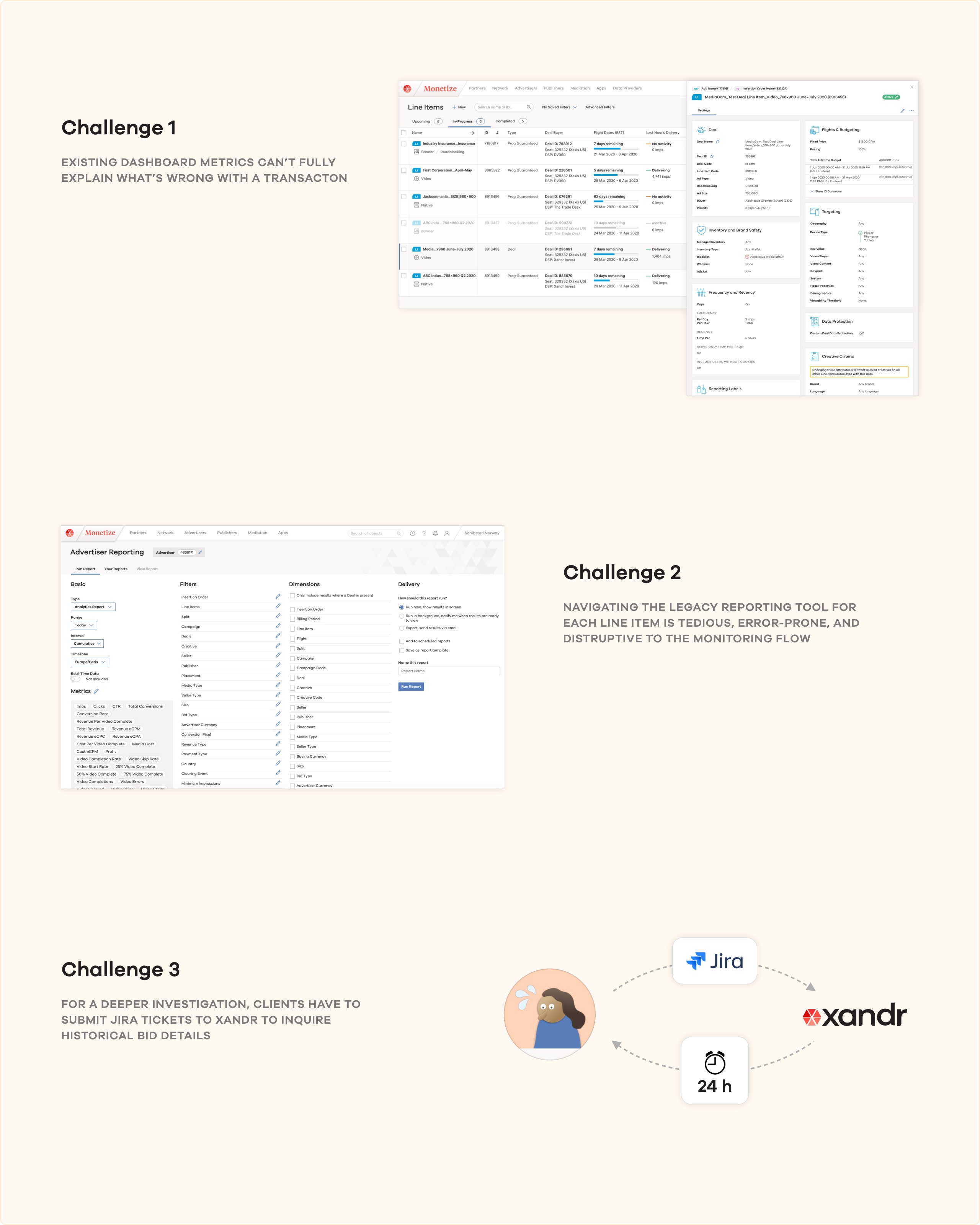
Previously, Xandr Monetize offers Publisher’s Ad Operations teams the ability to monitor the aggregated metrics and progress of their on-going programmatic ad transactions. However, the existing monitoring dashboard was not well-suited for uncovering deeply nested errors of under-performing transactions.
The new Deal Troubleshooting Tab will sit on top of Xandr Monetize's existing monitoring workflow. It aims to help publishers quickly identify why a deal isn't working, equip them with in-depth reporting, and provide tools and action items to resolve the errors they discover.
RESEARCH PROCESS
Initial Persona & Field Research
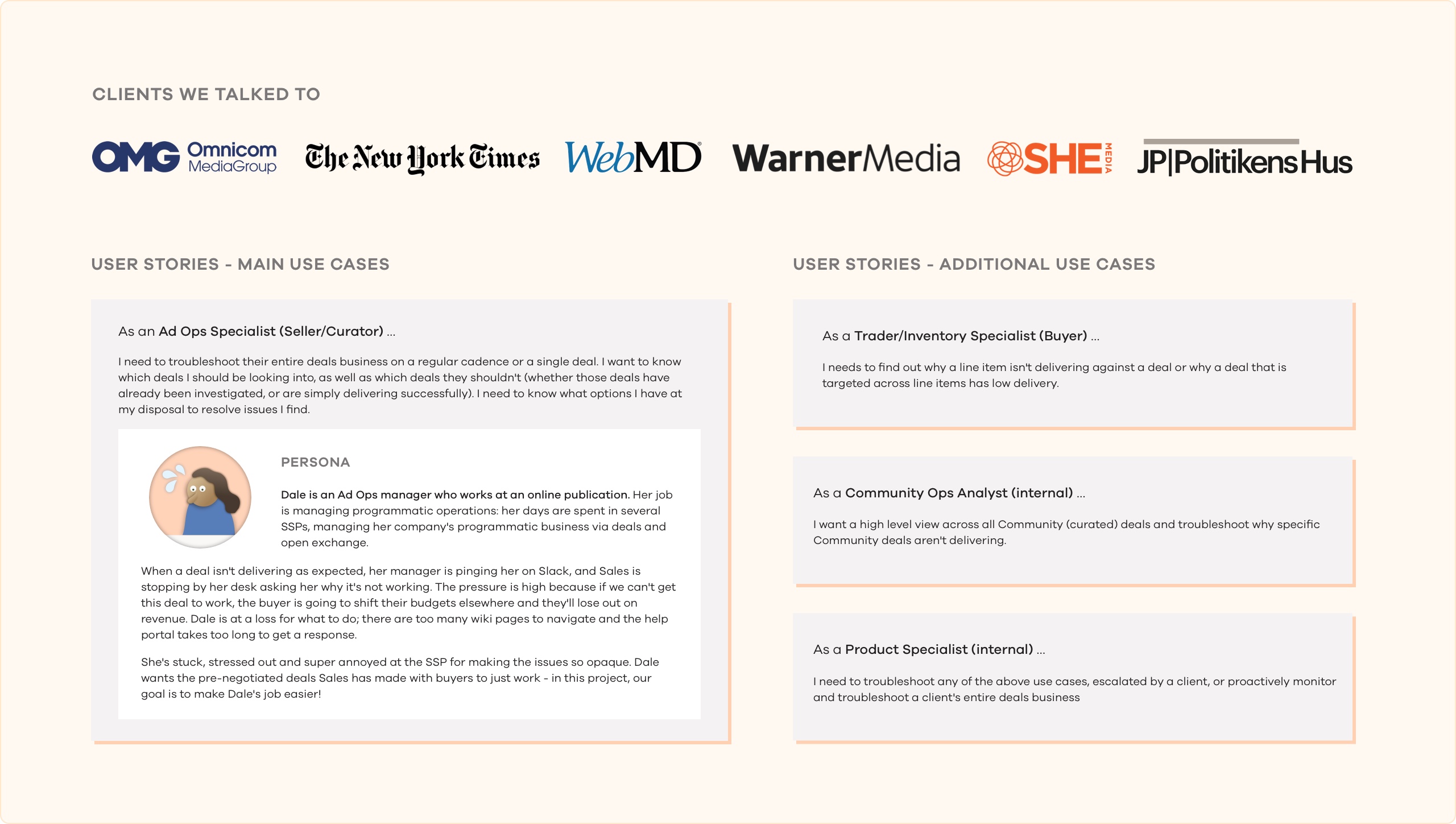
Based on insights from Xandr’s customer support team and client facing PMs, we created initial personals and user stories about our publisher clients.
Throughout our design process we interviewed both internal technical support teams and Xandr Monetize’s external clients, and tested every iteration of our designs with them.
DESIGN PROCESS
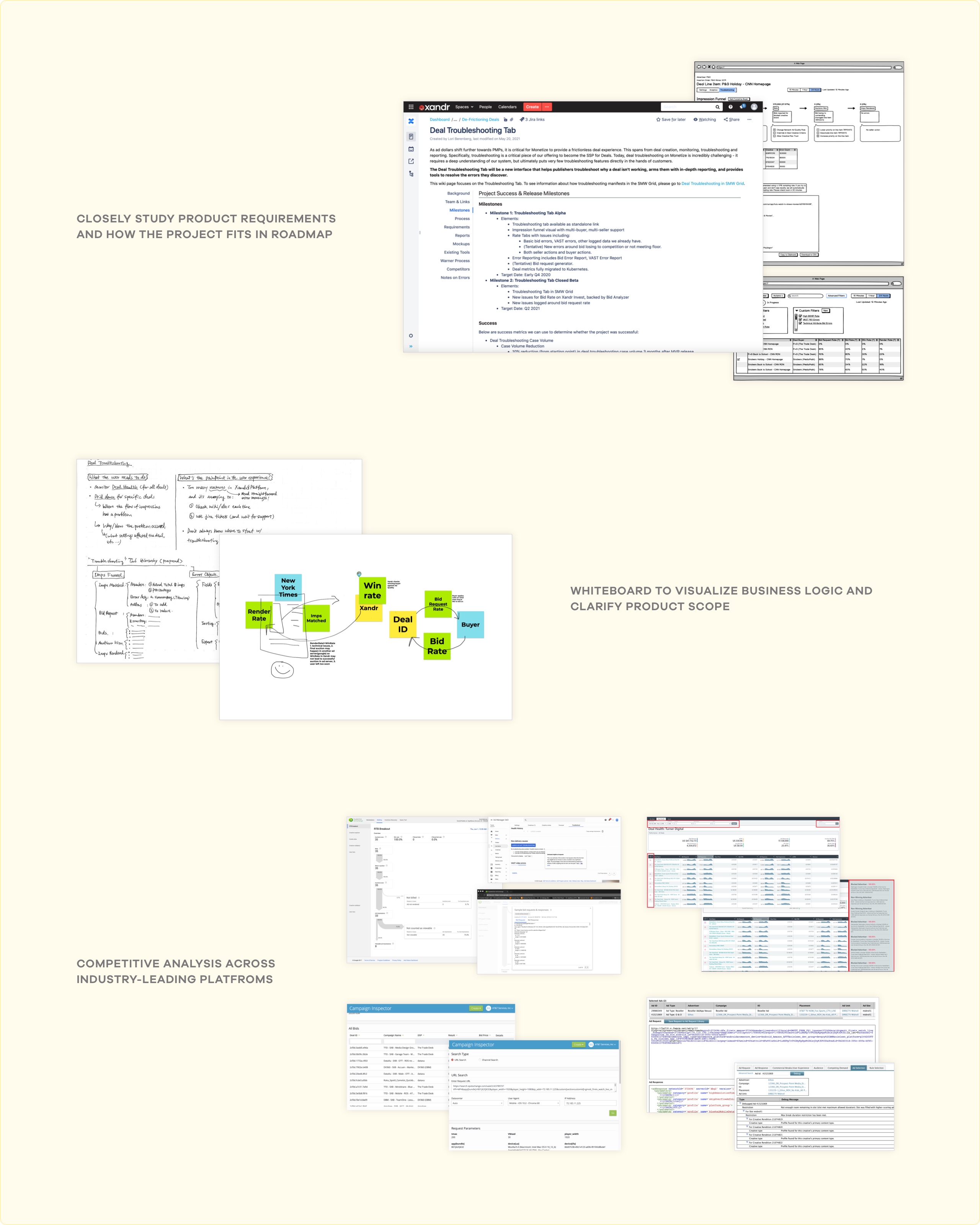
Review and Align on Product Requirements
I took a deep dive into the product requirements initially drafted by the Product Manager, discussed further questions on UX and workflow, as well as potential technical blockers.
I also analyzed the troubleshooting features from Xandr's competitors, and what tools they provide the Ad Ops users and how they used data visualization in the workflow.
Initial Explorations
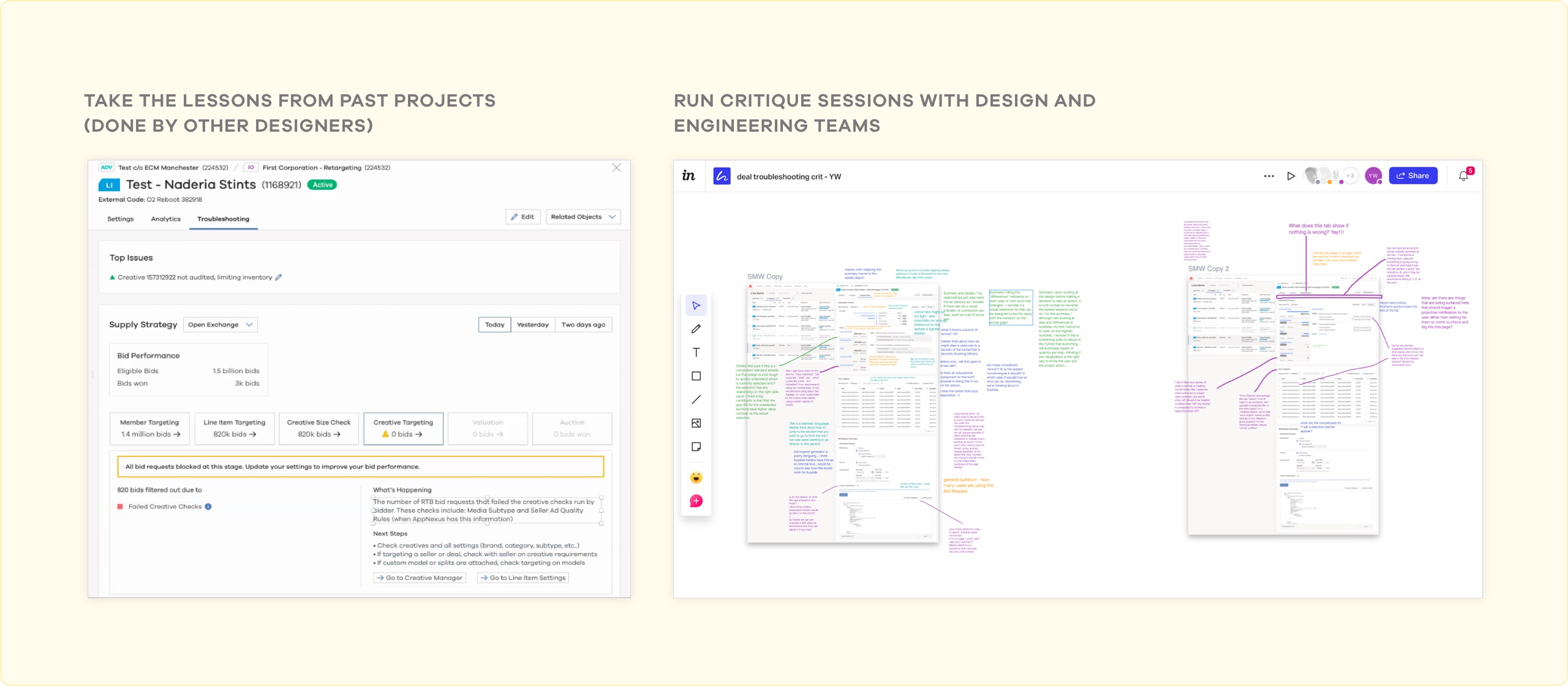
During early iterations, I frequently circulated my initial designs within Product Management, Engineering, internal Design Team and Xandr's Solutions Consultants for feedback.
I also investigated Xandr's previous attempts at solving related problems by reaching out to designers who worked on related problem domain.
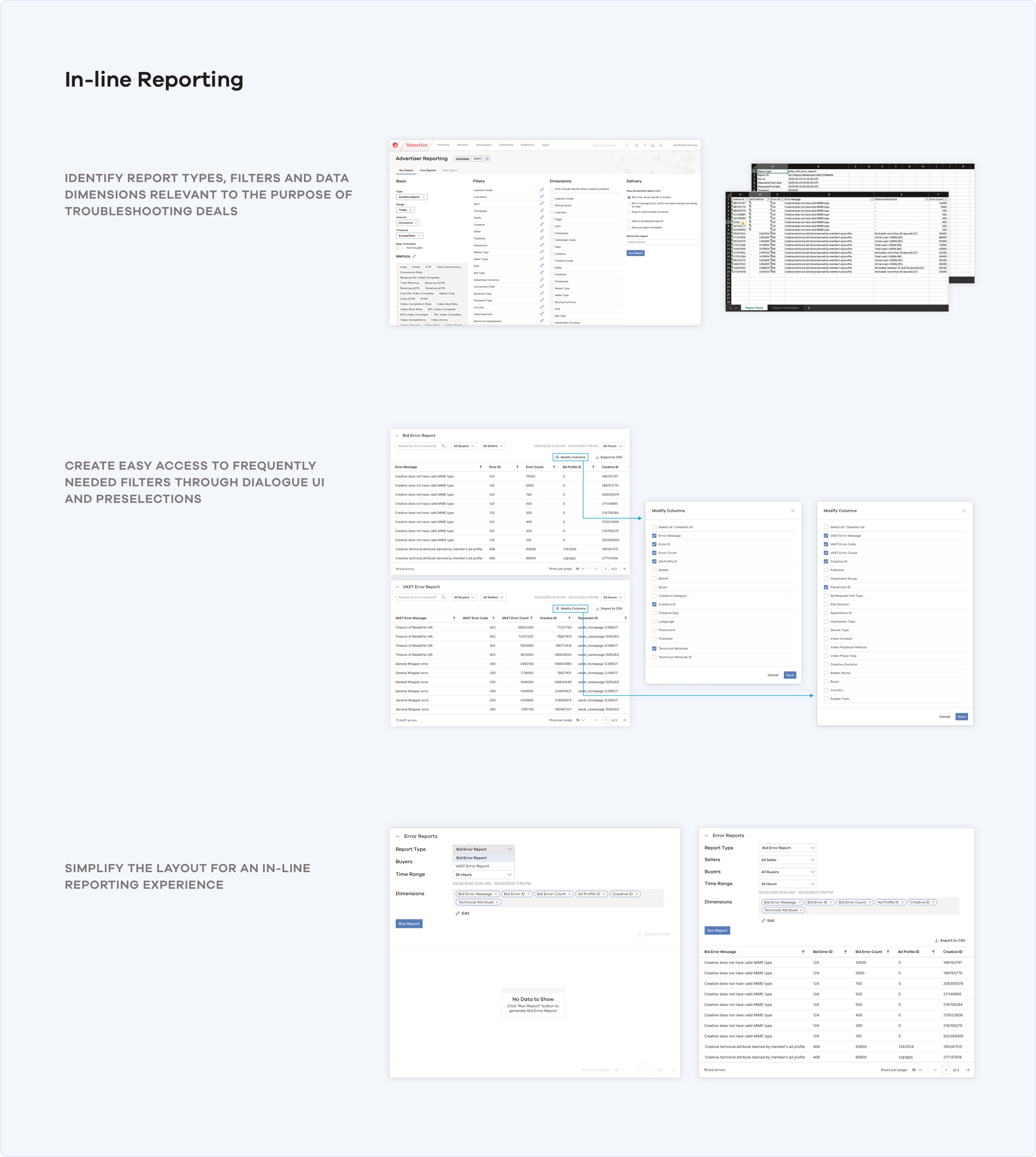
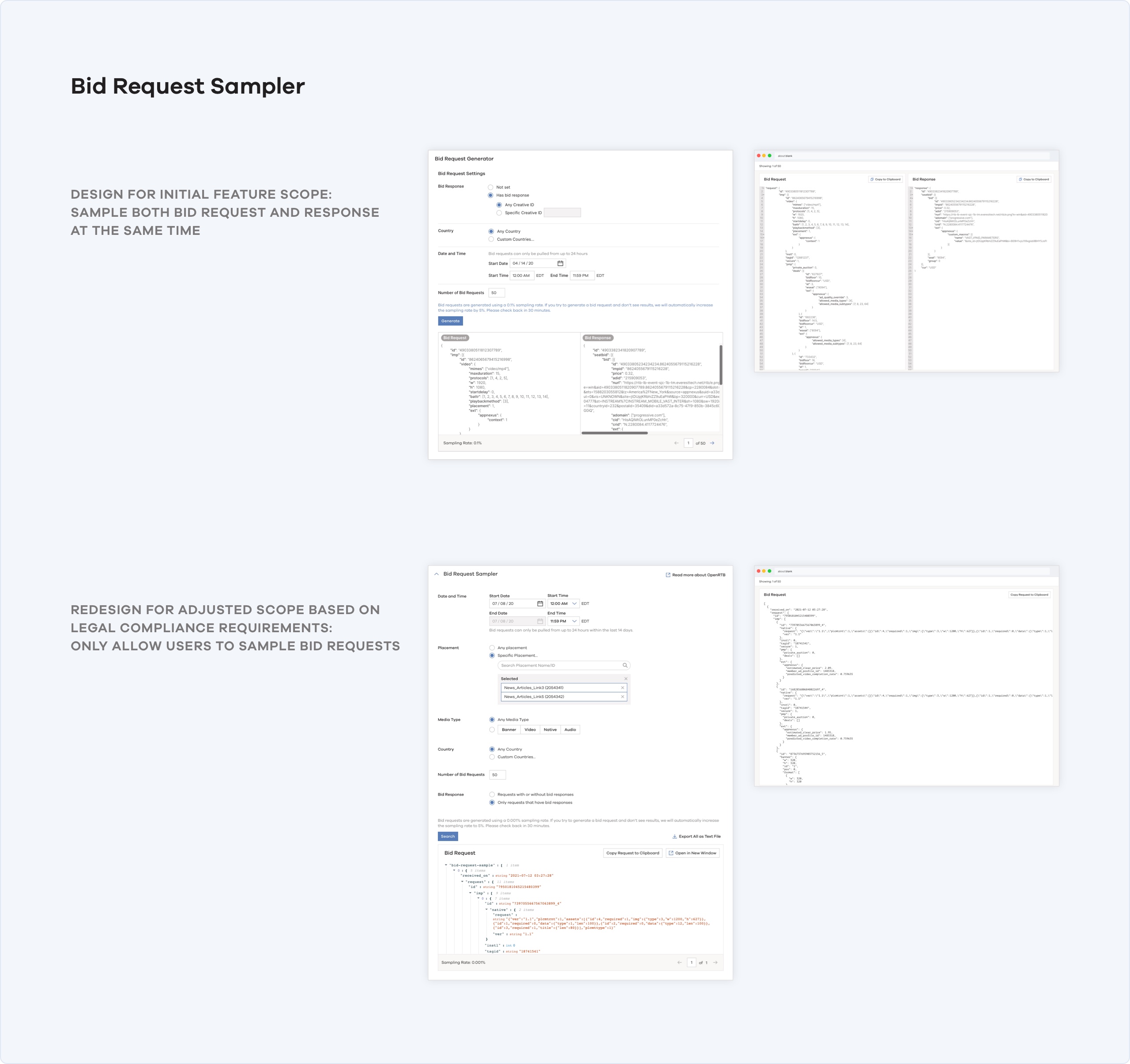
Design Iterations
DESIGN OUTCOME
Demo: Troubleshooting a Deal Line Item
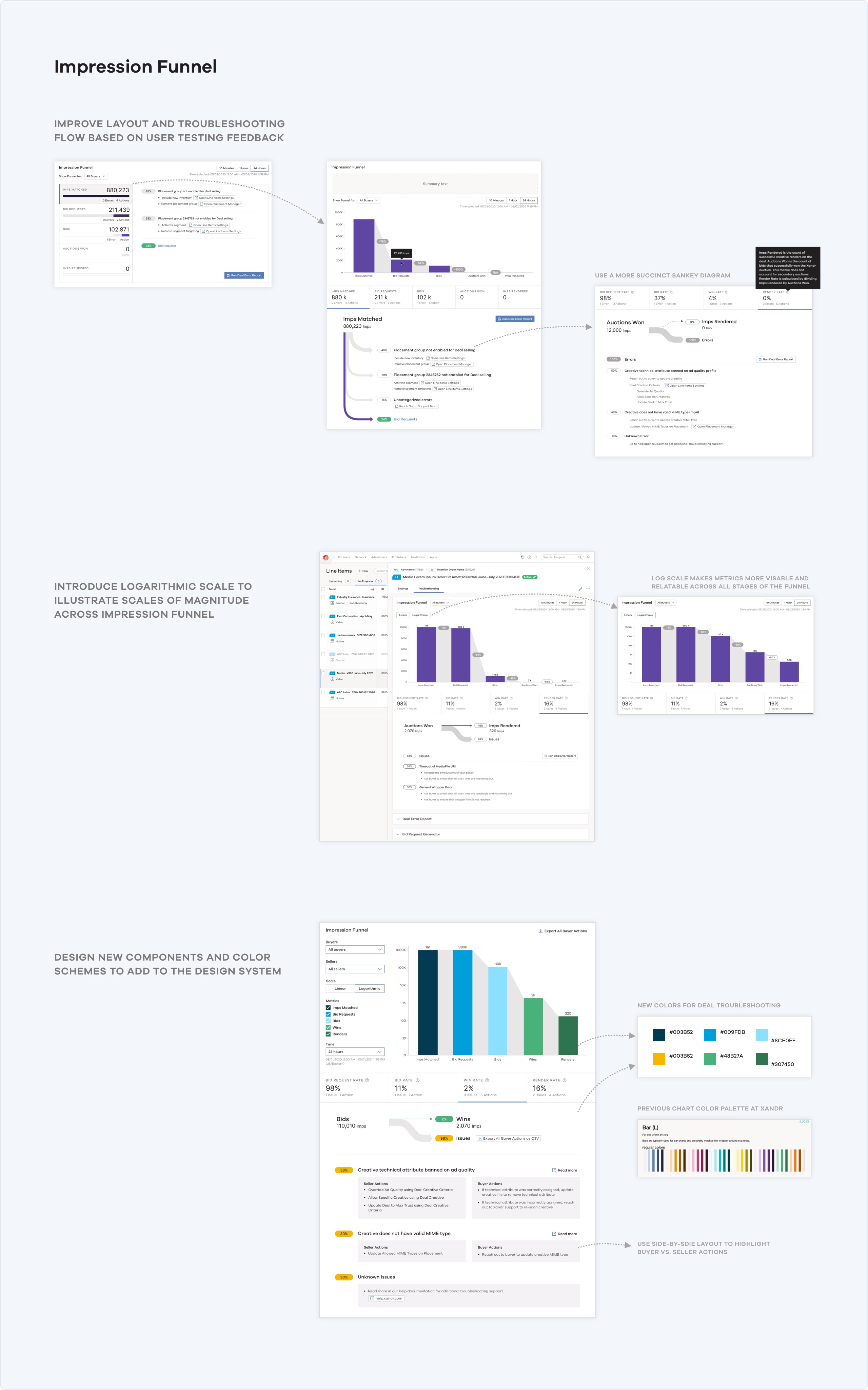
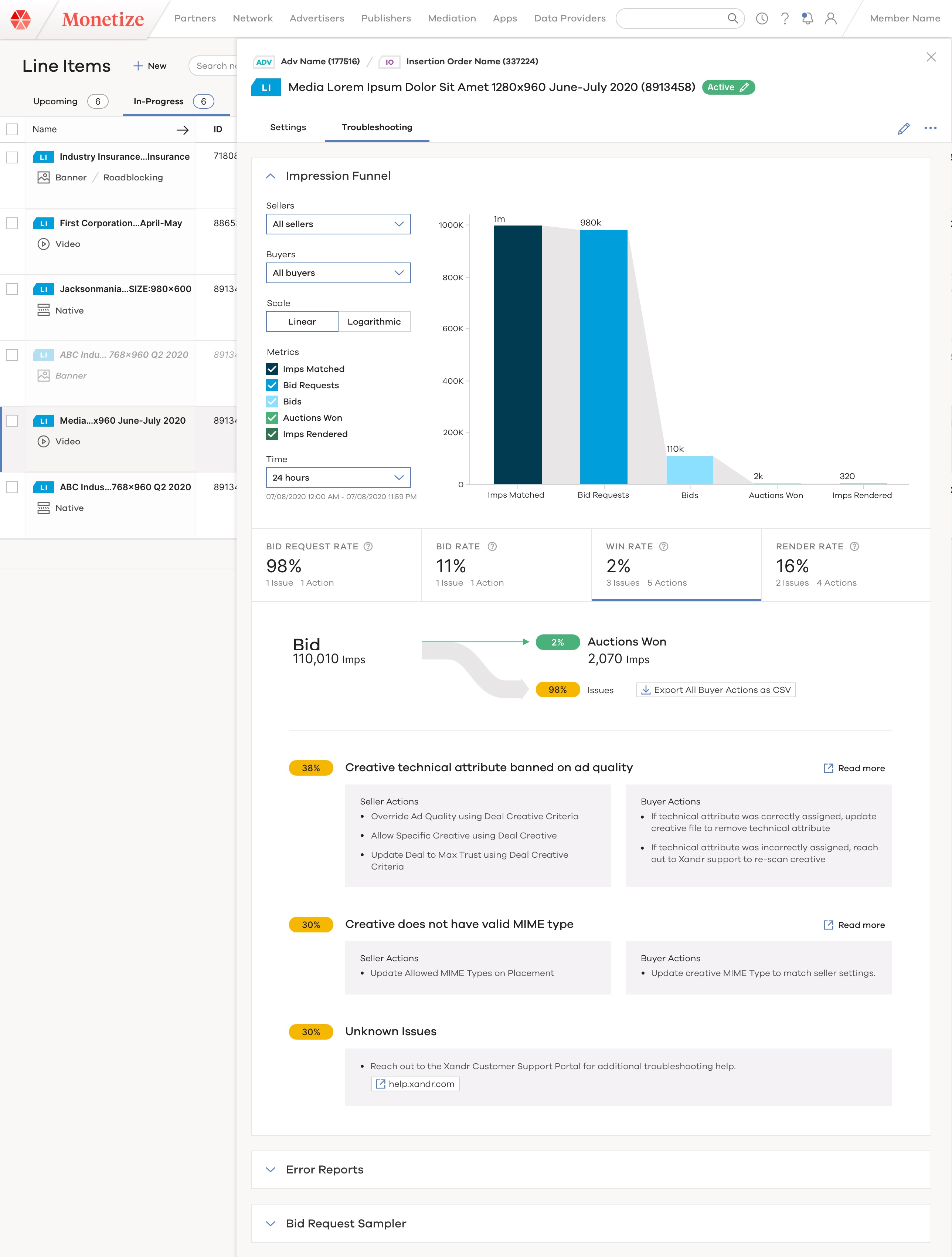
Impression Funnel
The Impression Funnel provides an interactive visual representation of the programmatic deal impression funnel – along with custom settings. This section helps users understand at a glance where issues might be occurring within an individual deal.
Because the 4 conversion rates ("Bid Request Rate", "Bid Rate", Win Rate" and "Render Rate") are important deal health indicators that Ad Ops users look at, we offer an inline experience that shows the errors for a given deal, broken out into specific, actionable and complete error messages.
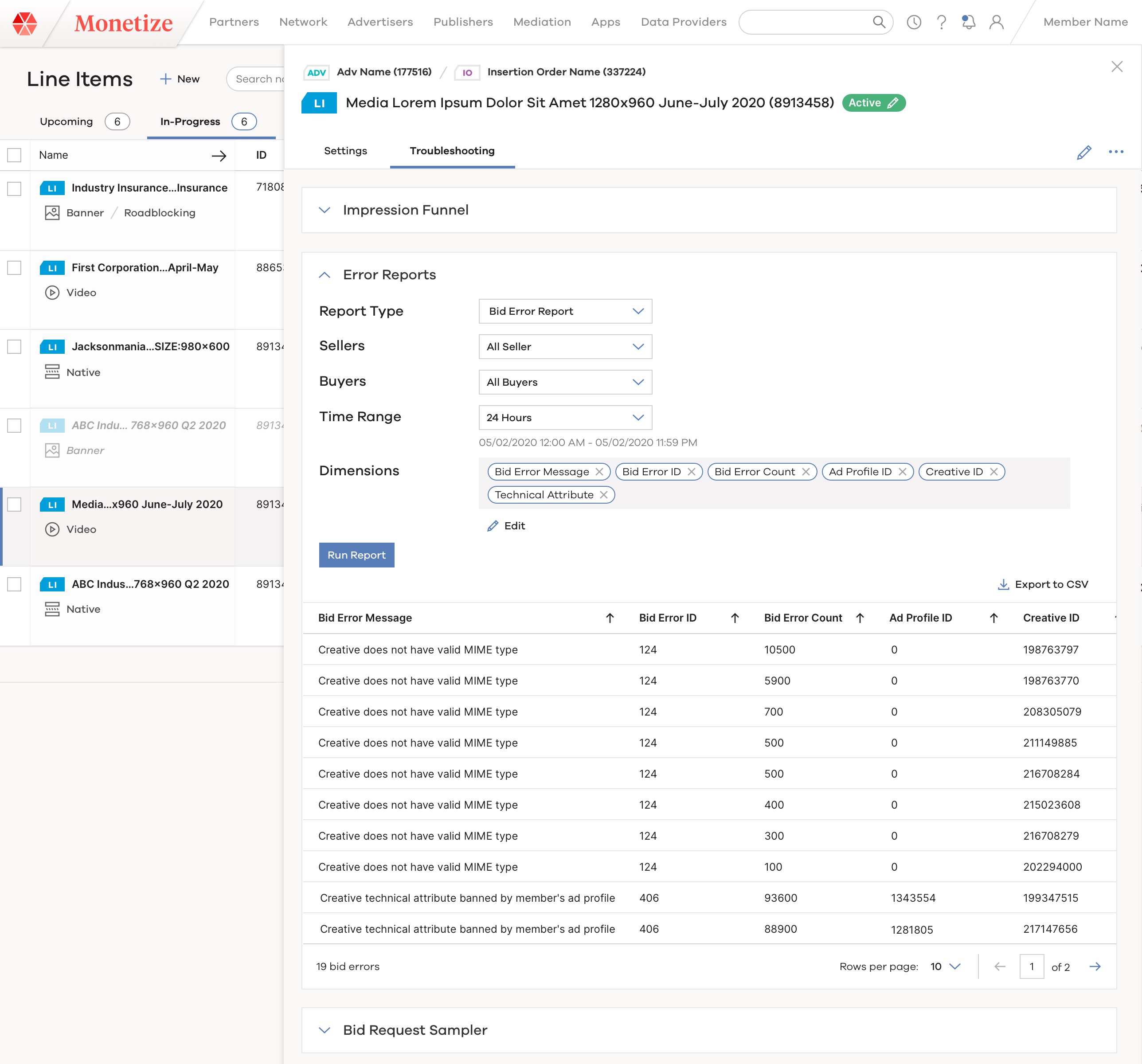
Deal Error Report
The new reporting UI brings forward Xandr’s reporting capability as an in-line experience.
This allows users to quickly pull error reports during the troubleshooting process, customize dimensions and filters on the fly, and view or export the detailed deal error reports directly – instead of navigating to a separate Reporting UI.
Bid Request Sampler
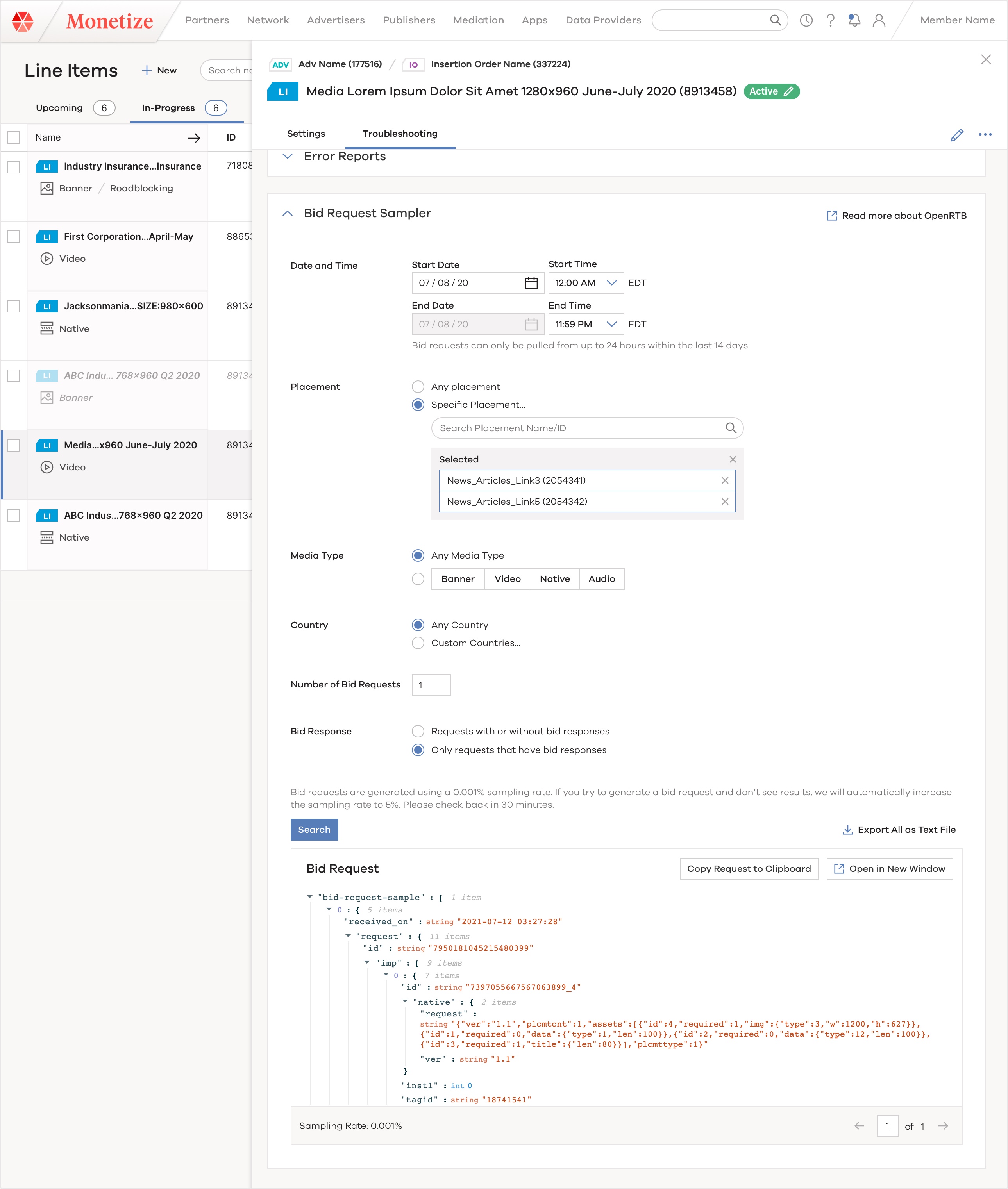
The Bid Request Sampler provides a simple, self-serving workflow for users to generate and download an outgoing bid request to a bidder for a given deal ID.
Previously, users had to submit tickets to Xandr’s customer support team and wait for 24 hours. But now they can sample, view and share the raw bid requests themselves
Results and Feedback
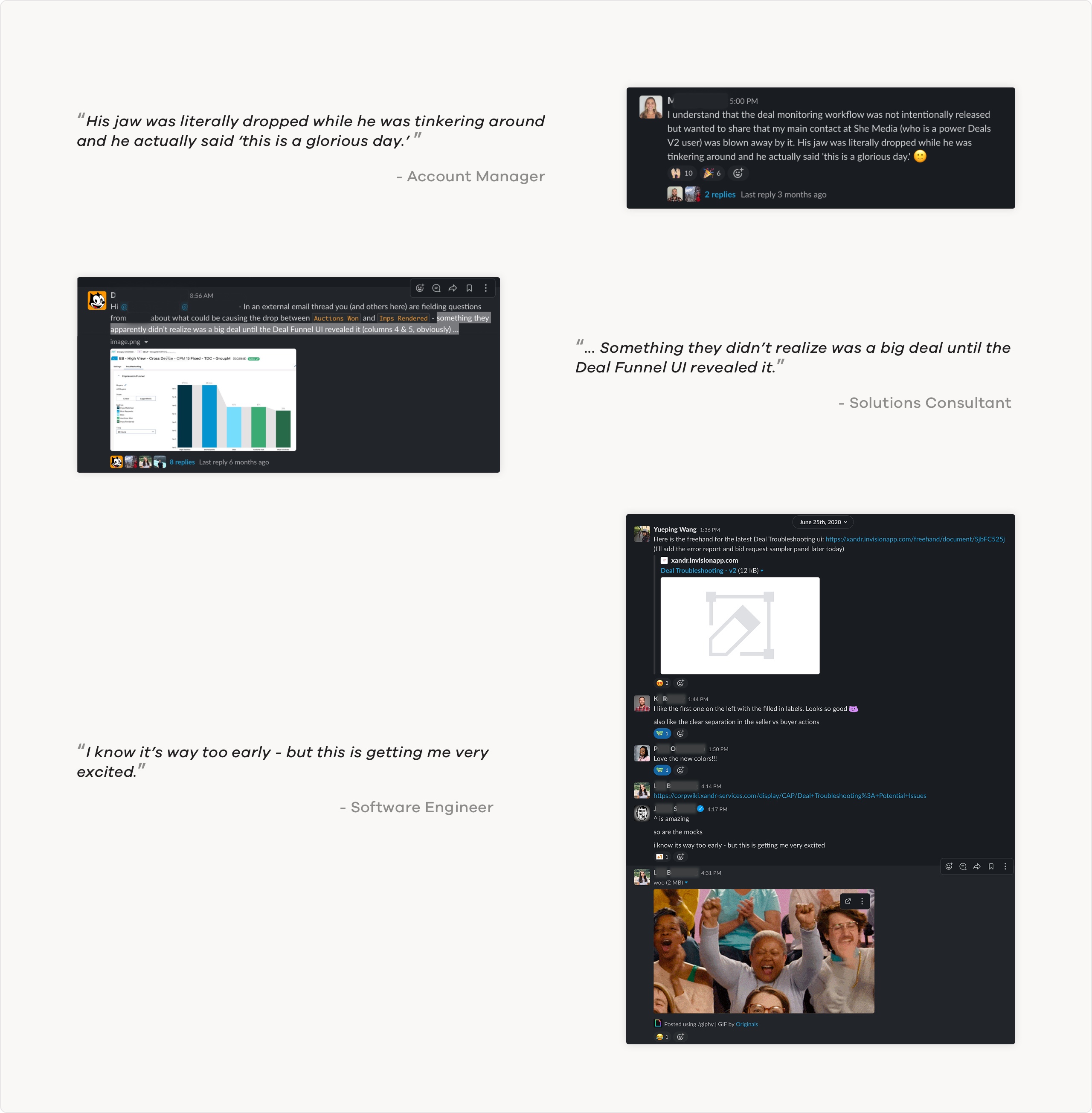
During our beta launch, the new Deal Troubleshooting UI was such a high-value feature that the account manager described it as "jaw dropping" experience for Xandr's long-term client.
The Impression Funnel visualization - with Xandr's first logarithmic scale chart - helped user discover major issues with their video creatives, which they never knew until they used the new feature.