Conduit App is an AI-assisted calculation tool that turns days of technical load calculation into a 15-minute, human-in-the-loop workflow HVAC salesmen can complete during their first visit to a customer’s home.
But for novice users, completing the calculation didn’t always mean feeling confident that the result was correct. Users struggled to tell what they had missed, which issues could have affected the result, and whether the final calculation was trustworthy.
As lead designer, I reframed the problem around building trust and guidance into the experience, and redesigned the end-to-end flow to help users understand what was complete, what needed attention, and what to do next. This new design improved activation and new-user retention, while reducing reliance on support.
1 in 2
new load calculation jobs have more reliable results
>60%
recommendations led users to take corrective action
Faster to Learn
novice users reached confidence in the workflow more quickly
Less hand-holding
support teams spent significantly less time on live training with new users
My Role
Lead (sole) Product Designer, driving 0→1 product work from problem framing through design, validation, and delivery
Team
Myself, VP of Product, Engineering Team
Tools
Figma, Pen & Paper, Miro, Mixpanel, Shortcut, Loom
Duration
Q4 2024 - Q2 2025
DESIGN OUTCOME
A guided workflow with clear and distinct states
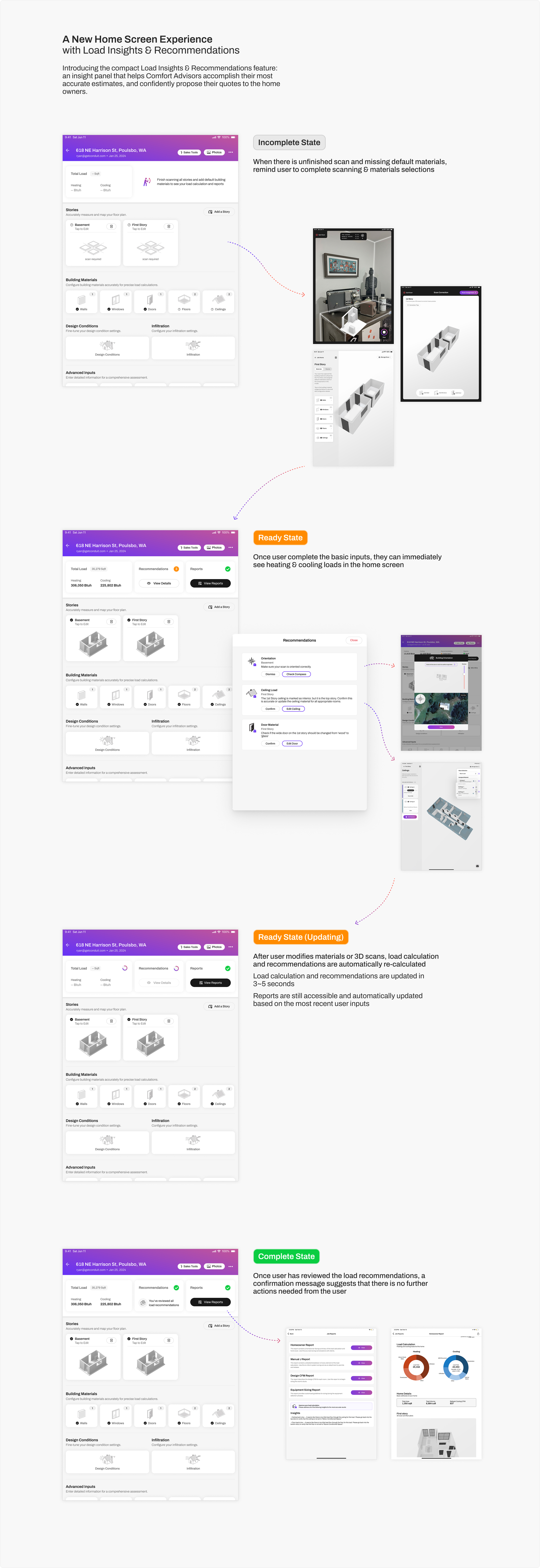
I introduced the new load calculation flow that has explicit and affirmative statuses, so novice users aways know where they are in their load calculation process, and what they need to do next.
Detect common and high-impact mistakes
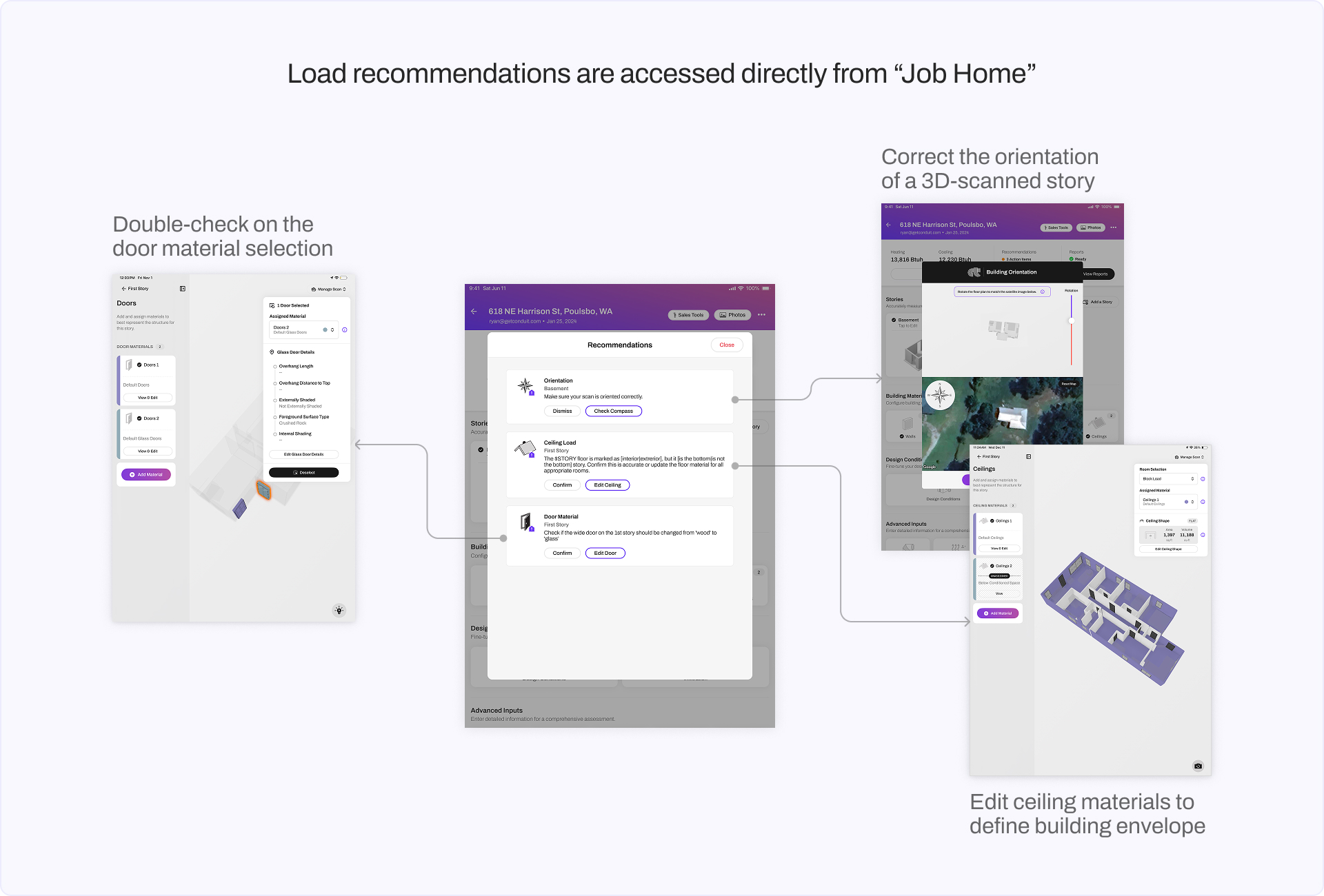
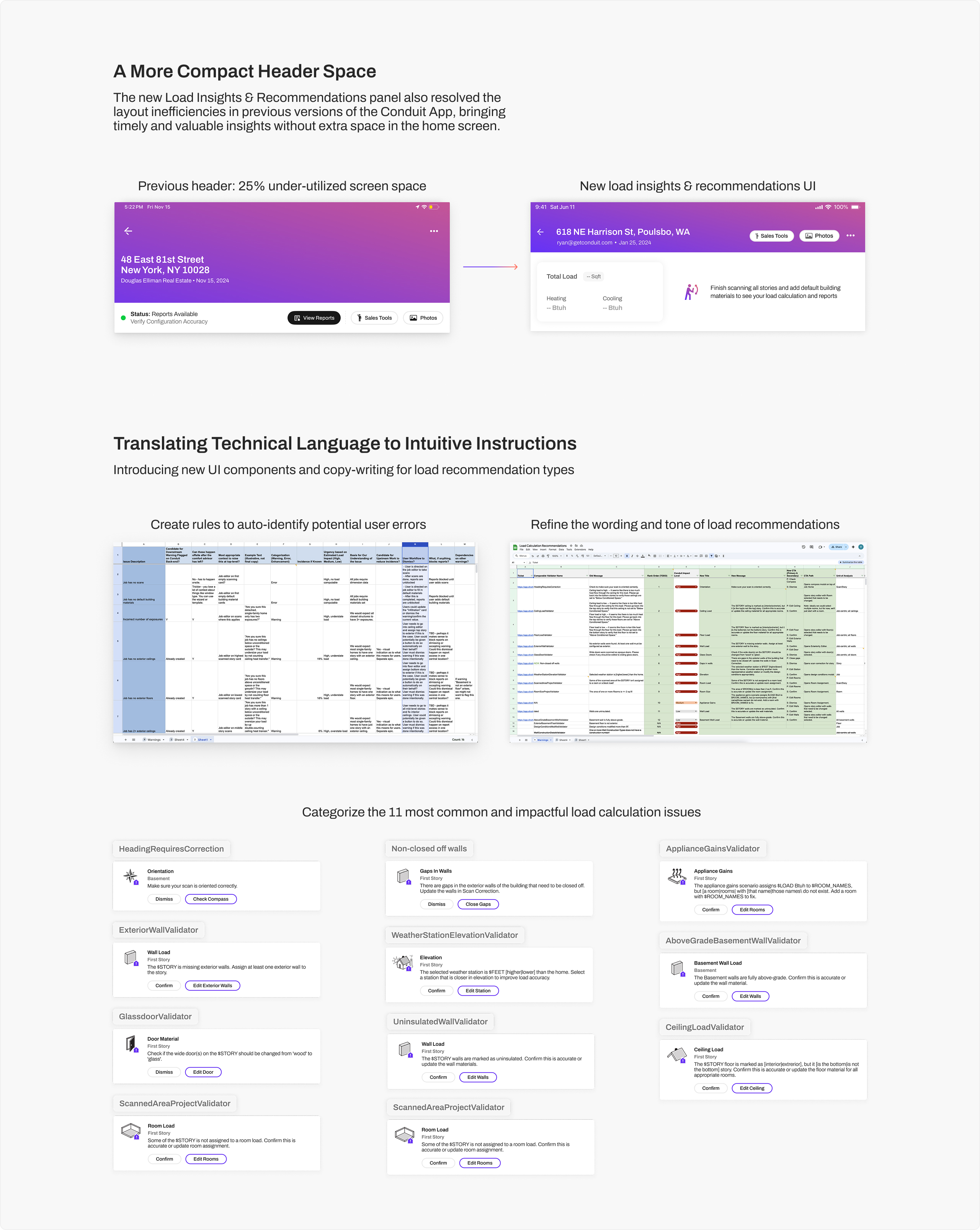
I identified and consolidate the high-impact mistakes that novice users tend to make in the app, work with engineers to define rules to auto flag them. I then designed the UI and UX for these new “recommendations” to be easily navigable and actionable from the Job Home page.
Boost user trust by updating calculations directly on the home screen
I advocated and convinced our eng team to move the actual load calc numbers from the reports to be always showing directly on the Job Home page.
This gives users much more trust in the app as they can see the calculation results update as they make each change based on our load recommendations.
BACKGROUND
The complex but necessary first step of any HVAC job
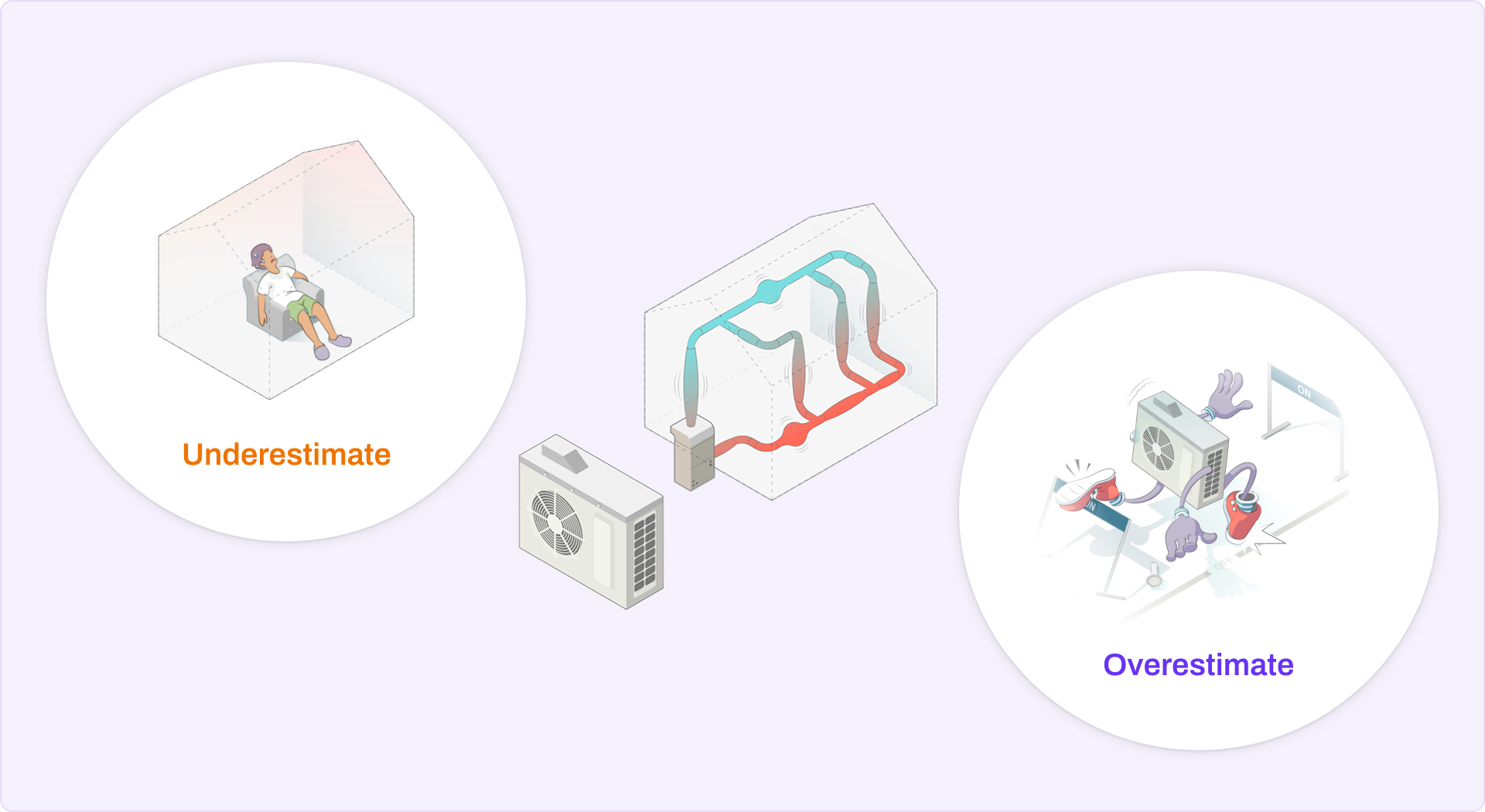
Load calculation is the process of determining how much heating or cooling power a home needs to maintain a comfortable indoor temperature.
Every home is built differently and in different climate conditions, and its heating and cooling need is determined based on a wide range of factors: climate factors such as the geolocation, elevation, temperature, humidity and wind; building factors such as the construction materials, insulation levels, orientation, and how many people occupy the space.
When sized incorrectly, not only will the hardware wear out quickly, but also the residents will feel uncomfortable during the hottest and coldest days of the year. Therefore, performing a careful load calculation is the first step to any HVAC renovation job.
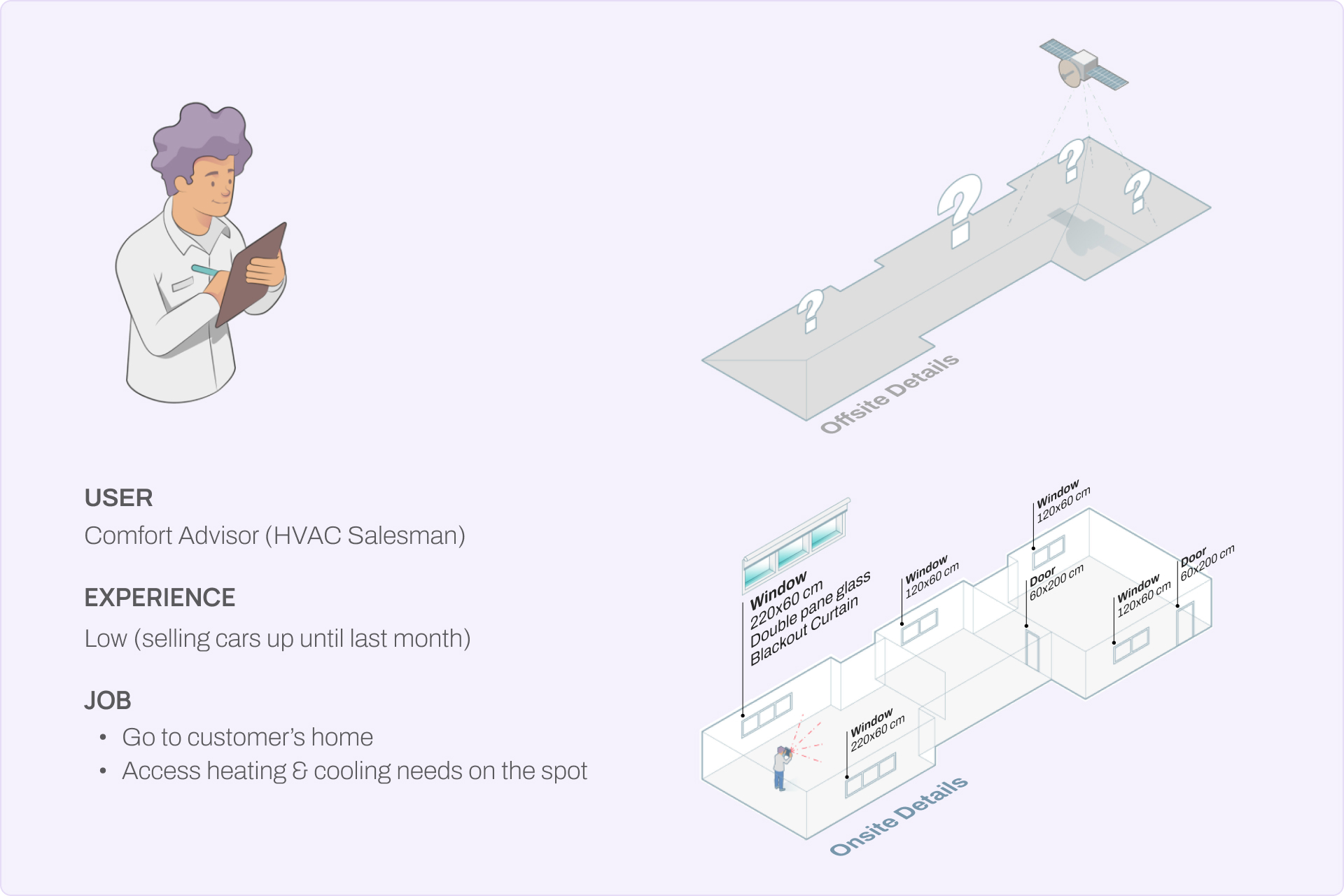
"Comfort Advisors": the HVAC salesmen
The people who performs the load calculation are called "Comfort Advisors". They are the salesmen who works at HVAC shops to help bring in more business to the contractors.
When an HVAC shop wants to sell a renovation job, they first send their Comfort Advisor to the prospective customer’s home. The Comfort Advisor is tasked to capture information about the conditions of their home and the resident's needs, before coming up with a project quote and proposal to present back to the homeowner.
Before vs. after Conduit App
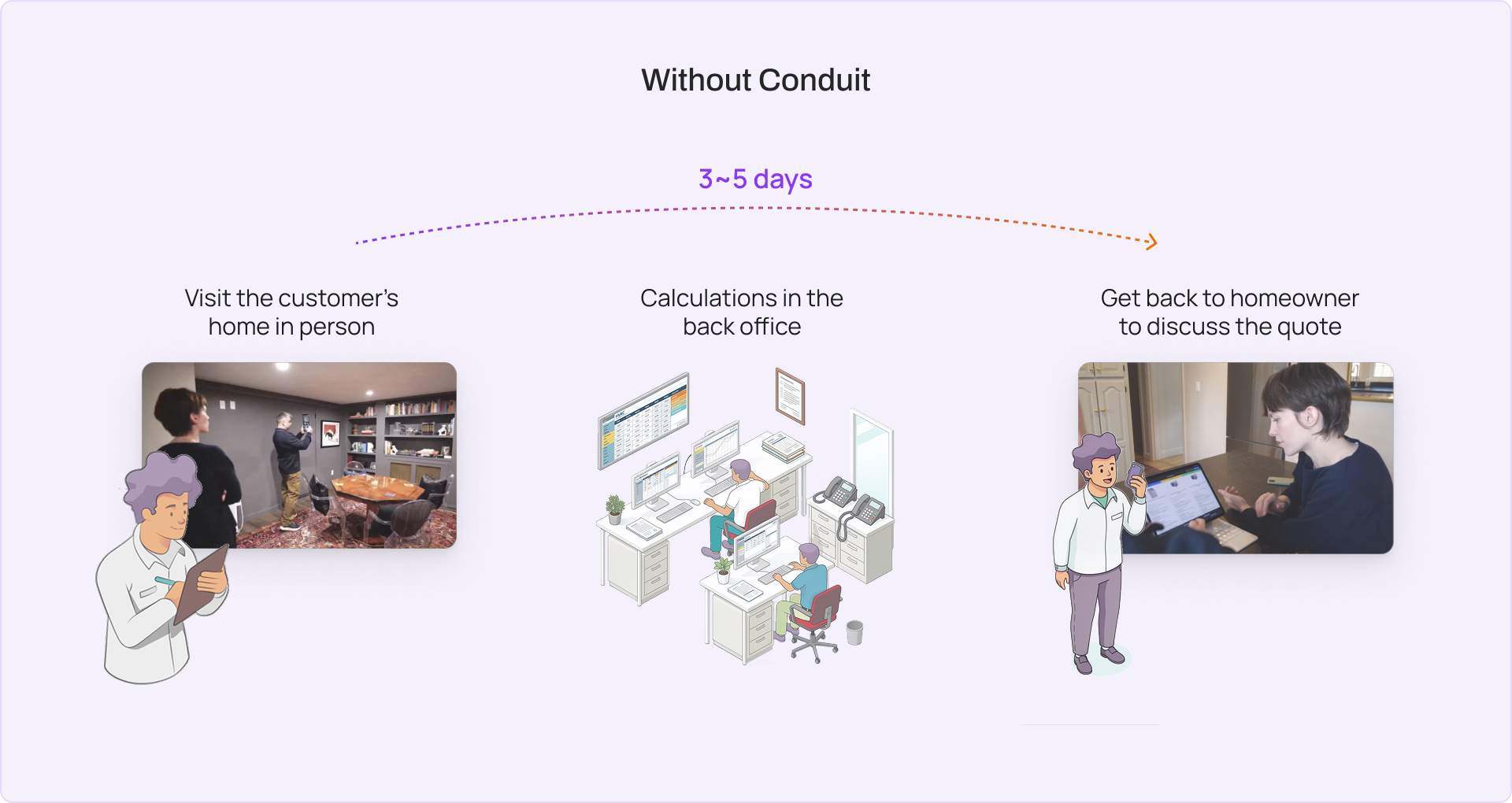
Previously, load calculation took several days: from the first in-person visit, to manual calculations at the back office, and calling the homeowner back to discuss the project quote - which can cost ~$20,000 , requiring a persuasive sales pitch. This prolonged approach results in lower success rates in sales, especially low-demand seasons.
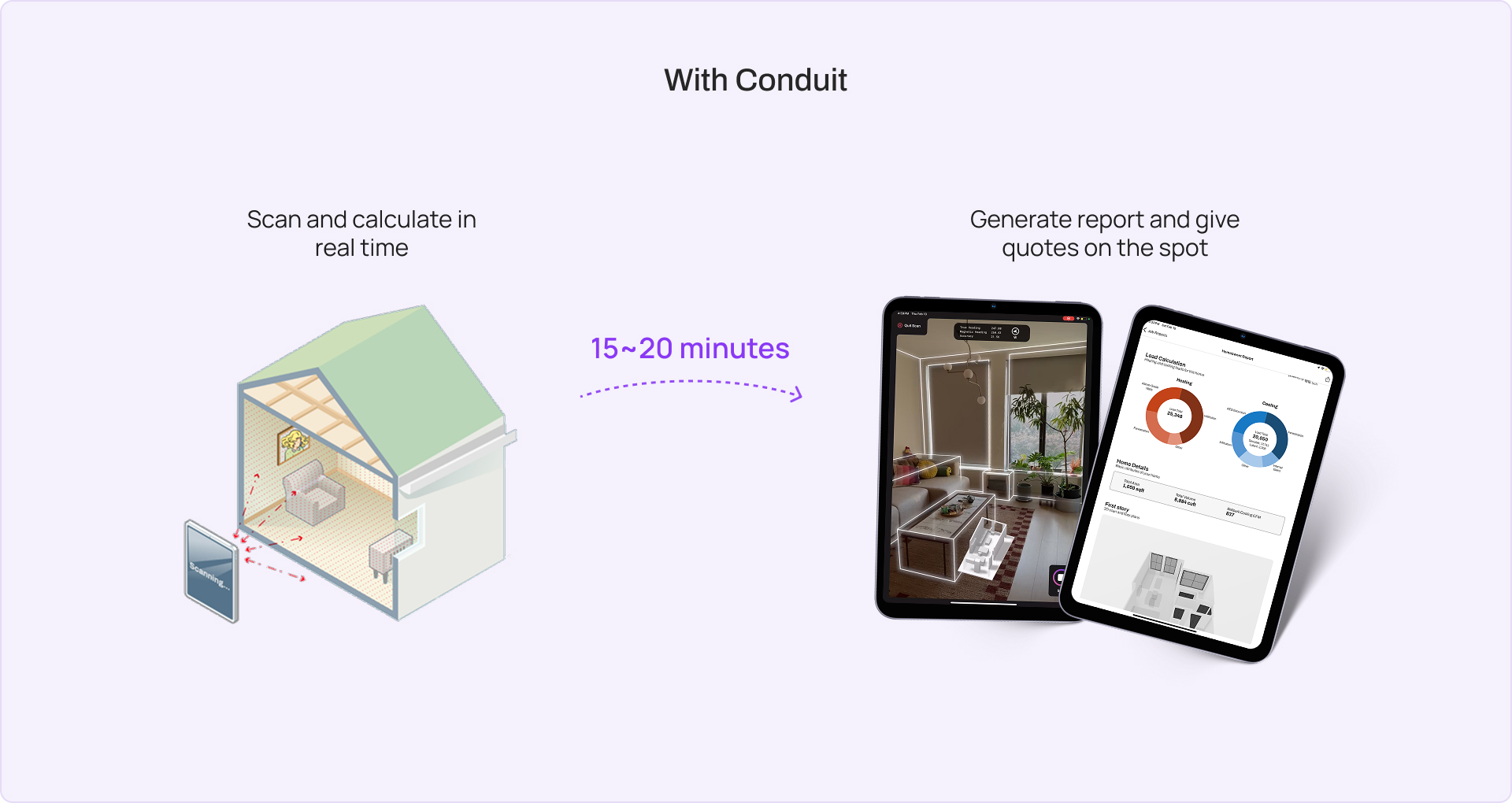
With Conduit App, Comfort Advisors can quickly analyze unique home configurations with digital twins and specify building-specific conditions. By the end of a 15-20 minute workflow in the app, users can propose comfortable, efficient, and sustainable heating and cooling system recommendations to every homeowner, on the spot.
The challenge to Conduit’s growth
With the speedy, real-time approach introduced by Conduit App, the pressure now falls on the Comfort Advisor themselves to be able to perform an accurate, high-confidence load calculation on the spot, then immediately proceed to quoting and selling all at once.
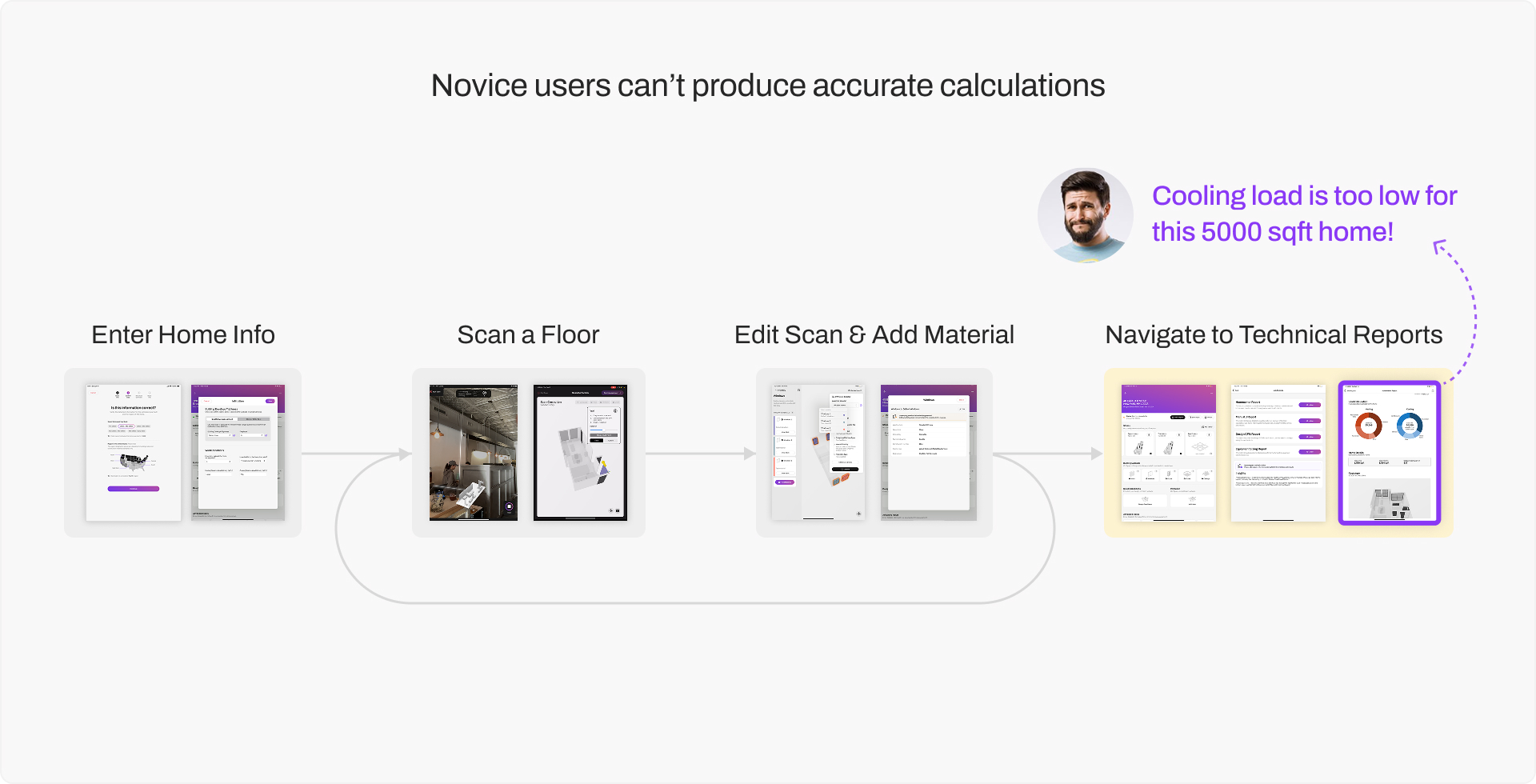
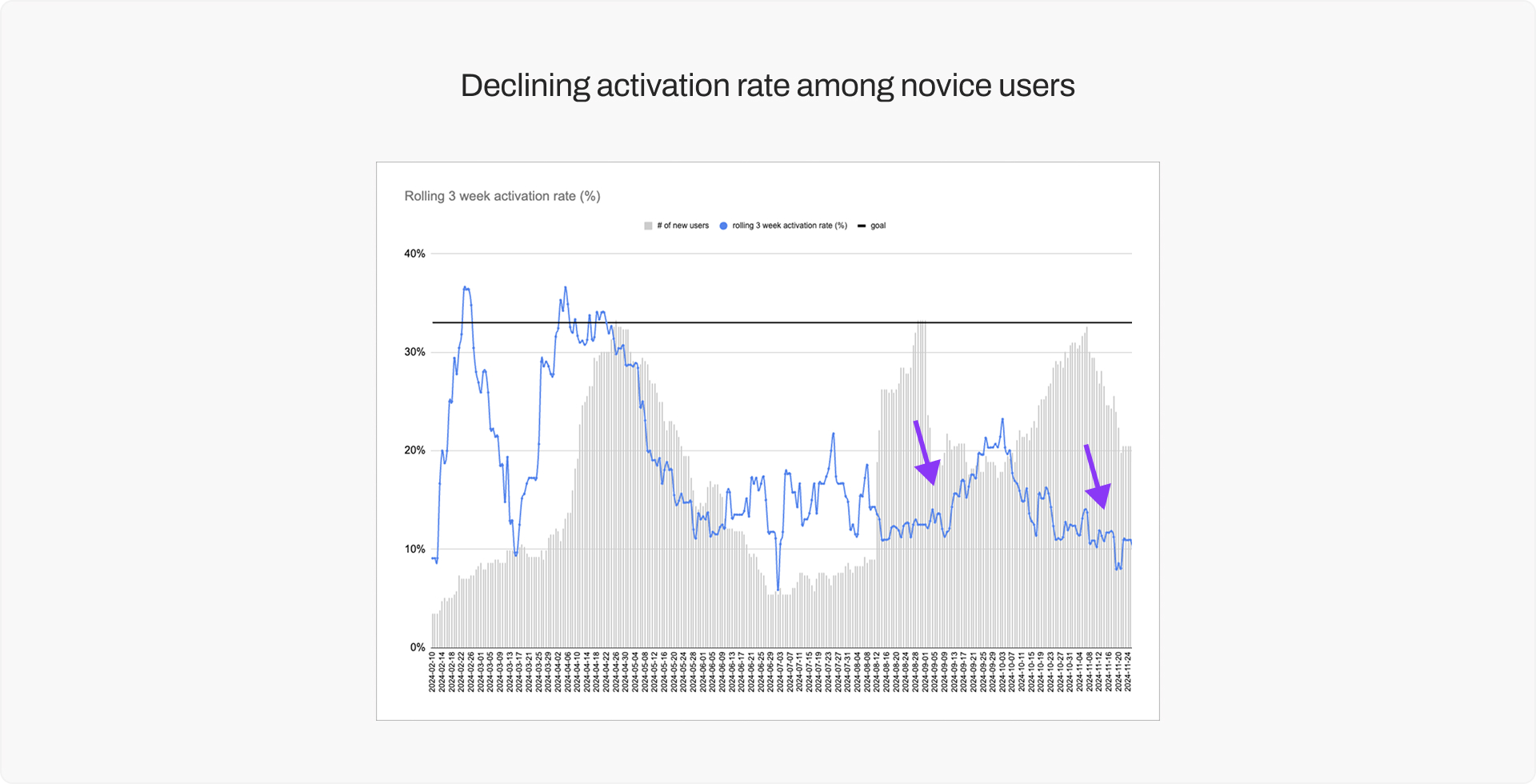
As we acquire more users, we started to see activation going down. Initial discussions with our customer success team confirms that it’s cumbersome to onboard novice Comfort Advisors, show them the value of the Conduit App early on, and retain them on our platform. Novice Comfort Advisors tend to lack knowledge in HVAC and building science, and when they can’t configure our app correctly, they failed to get accurate results and lose trust in our app.
How can we make novice users feel confident using our app, so that they continue to subscribe?
RESEARCH PROCESS
Understanding the workflow in context
To fully understand the context of our users immersively, I conducted user shadowing sessions by booking a single-family home and observing how three users worked differently in the same environment.
This let me study how each person moved through the full workflow, what they paid attention to, where they hesitated, and how differently they configured the app even when working with the same space.

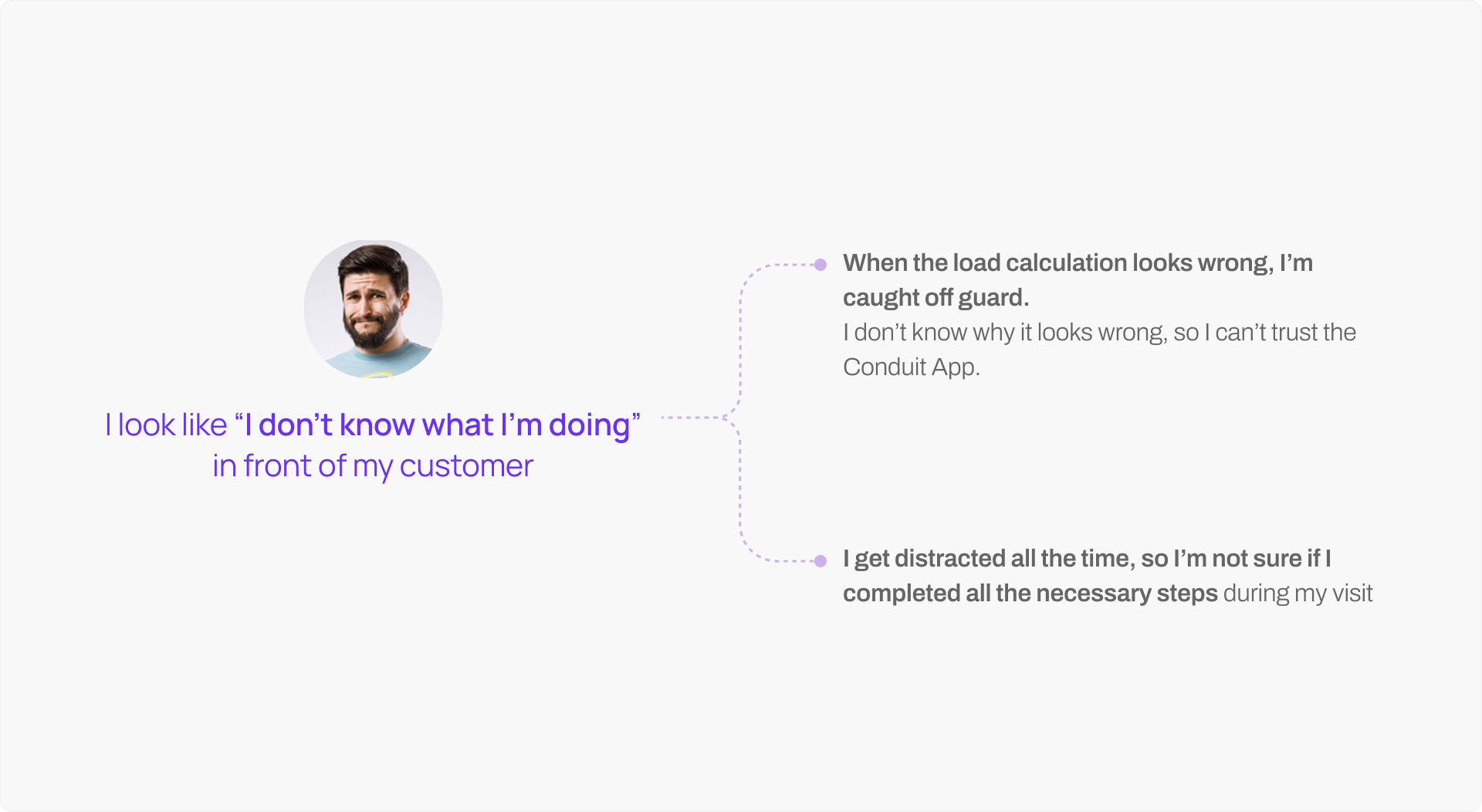
I found that the pain of novice users is not only the result of calculations looking incorrect, but also they feel unsure and nervous throughout the process of using our app - which is detrimental to salesman when they need to appear professional and knowledgeable.
Specifically, their confidence is hurt when they think they've input everything they know to the app but the calculation result looks wrong at the end. They don't know which variable led to the bad result, and they can't trust the results from our app.
Understanding where users got stuck
Could there be common mistakes made by novice users? To find out, I got access to our database of past project created by all users. By filtering the jobs by common addresses, I discovered 6 homes where multiple Comfort Advisors have visited and performed load calculation using Conduit App.
For each pair of my comparisons, the load calculation for the same home by different users yielded very different values. I looked into how one user’s settings differed from another, and I started to see common misconfigurations that novice user make that ultimately result in low-quality results.
DESIGN PROCESS
Re-framing the Problem
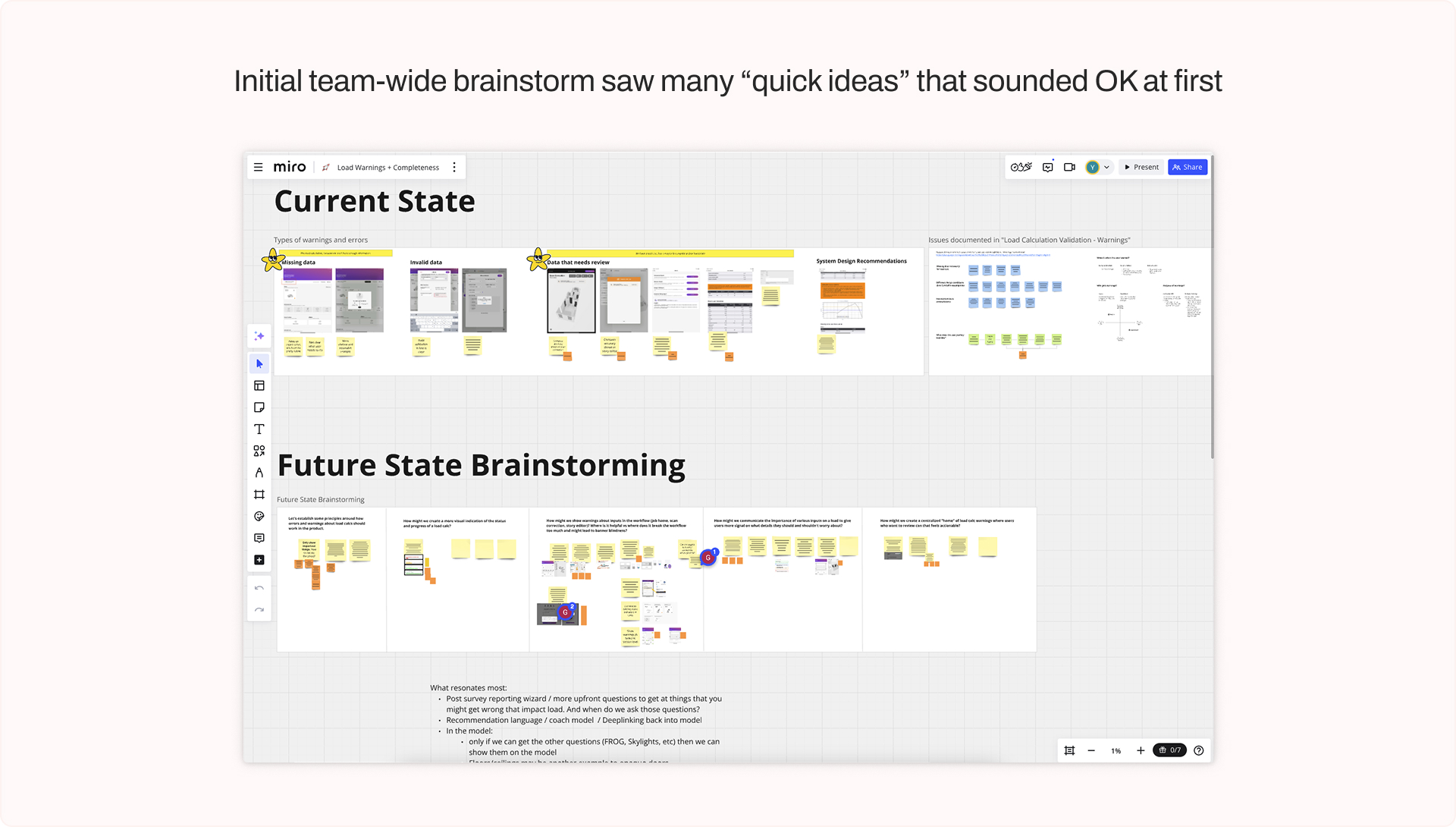
Initially, we kicked off the project with a team-wide brainstorm session, where Engineers and PM sketched many of their ideas. However, upon close look, I found many of those ideas failing to address the underlying user problem.
Some of initial ideas suggested “quick fixes” of showing warning signs in every step of user journey - which will add visual clutter and trigger user anxiety. Other ideas centered around terminologies and concepts - such as “progress” “completeness” “confidence score” - which are vague in nature, doesn’t translate to user action, and can’t be clearly quantified.
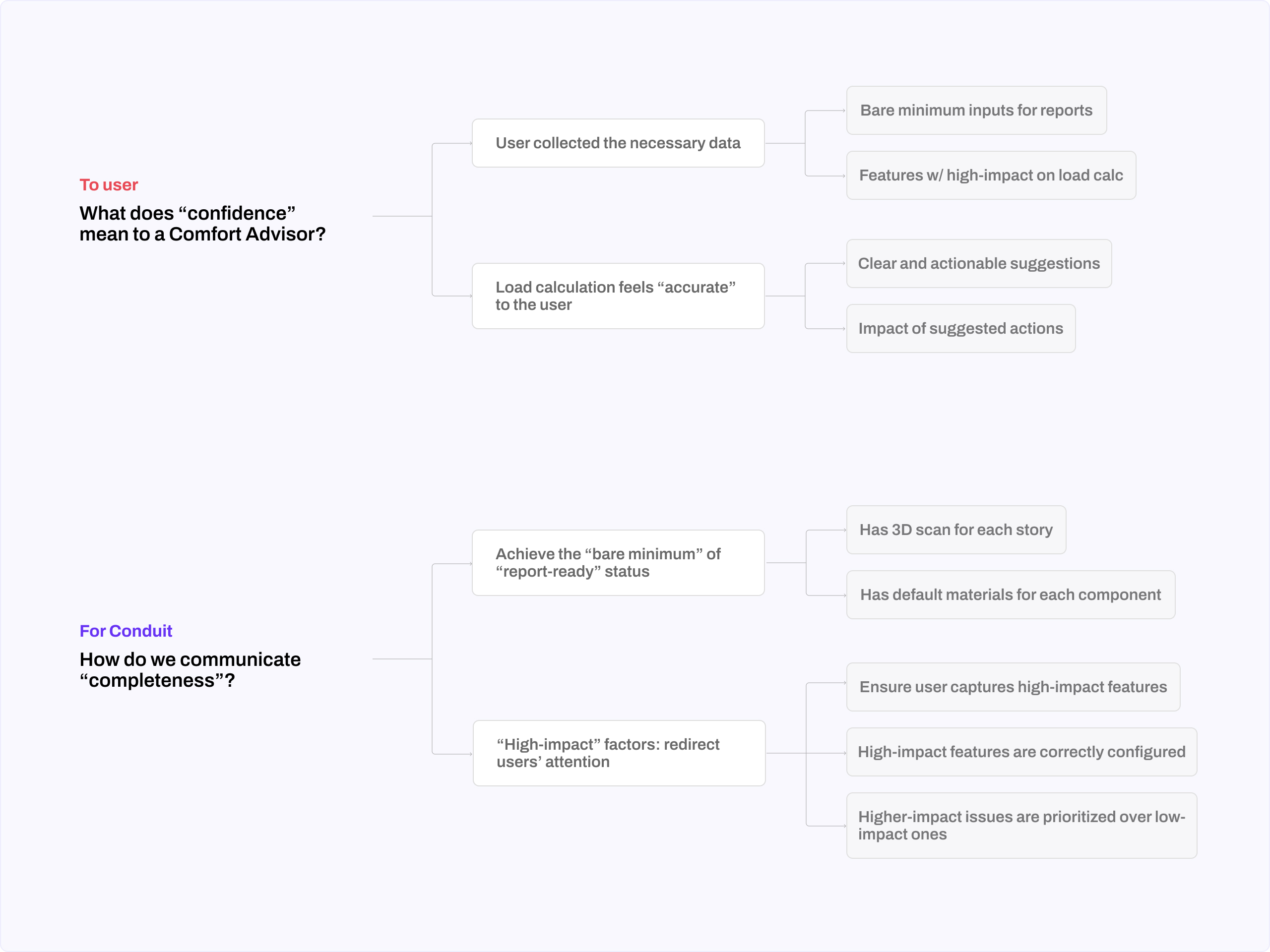
So, I took a step back from designing for those “conceptual” capabilities, and went back to the drawing board to work on the definition of the original problem.
I noticed that there’s are two different interpretations of “confidence” when doing load calculation, and looking through the lens of end users refreshed our interpretation of what features and data are useful.
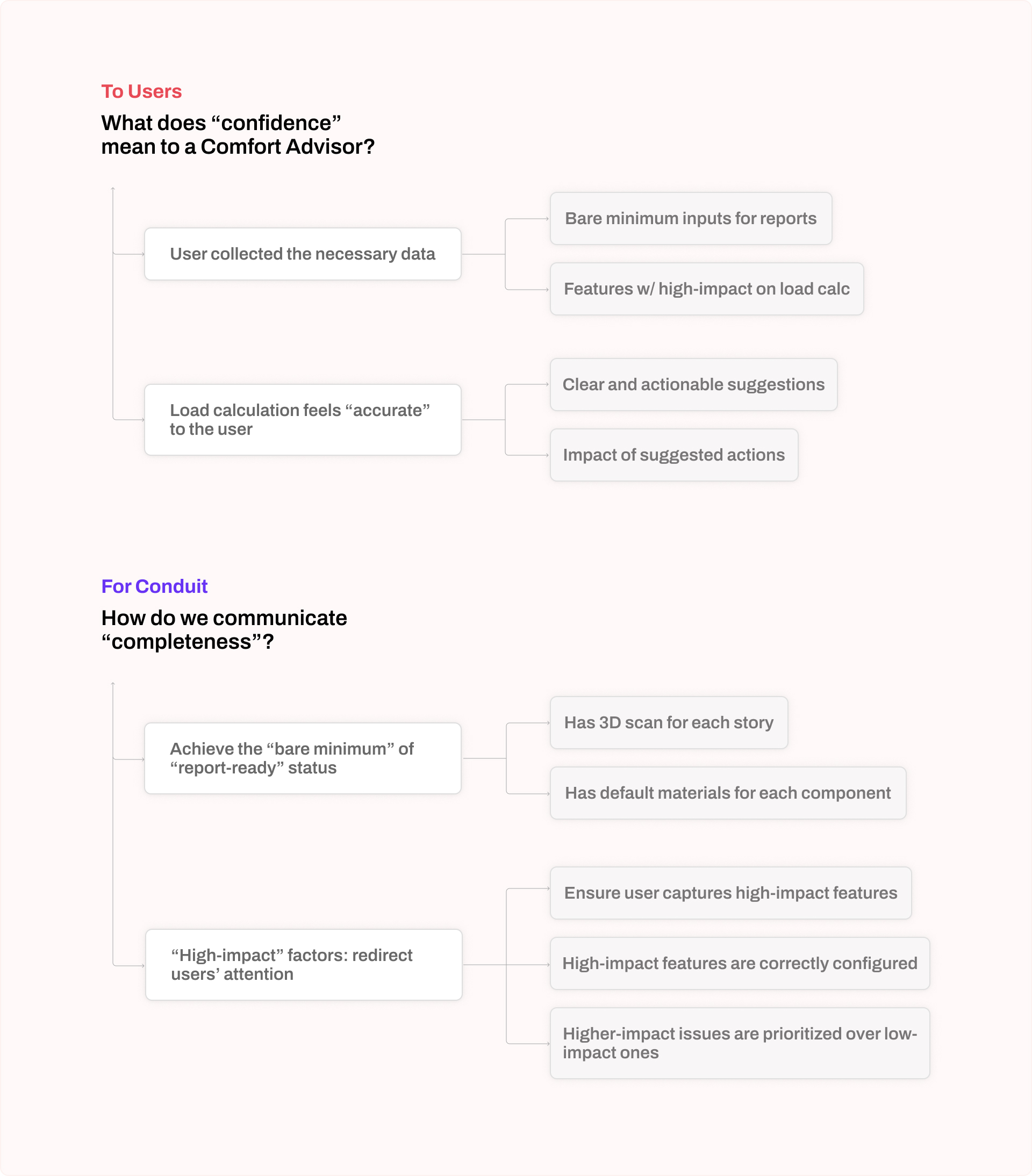
A new user flow with "recommendations"
I worked with the Engineering team to identify, prioritize and verbalize the 11 most high-impact misconfigurations we notice in novice users. While engineers are implementing the rules to flag those potential issues, I design the front-end interface for surfacing them.
I suggested using the term “Recommendations” instead of “alerts” or “warnings” to avoid giving user pressure, and I designed the recommendation UI to be informative, visually scannable, and action-oriented.
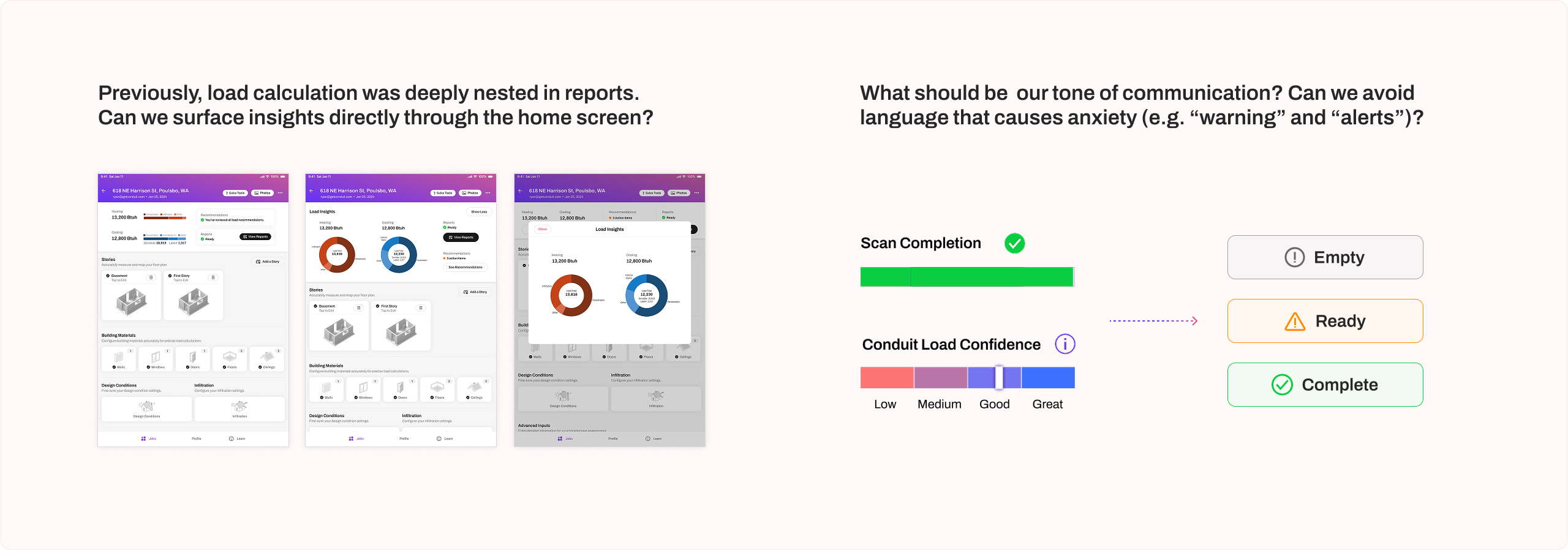
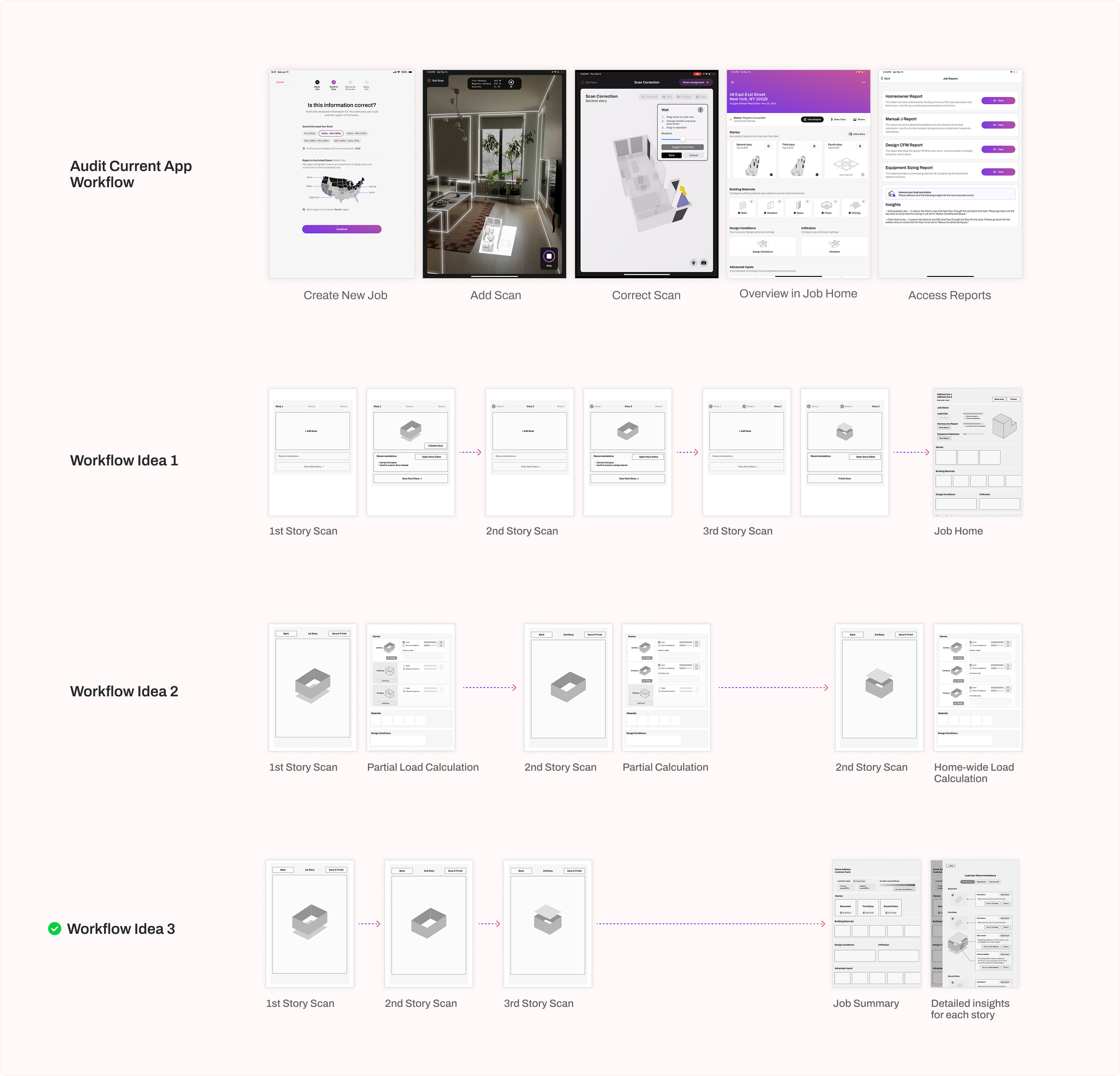
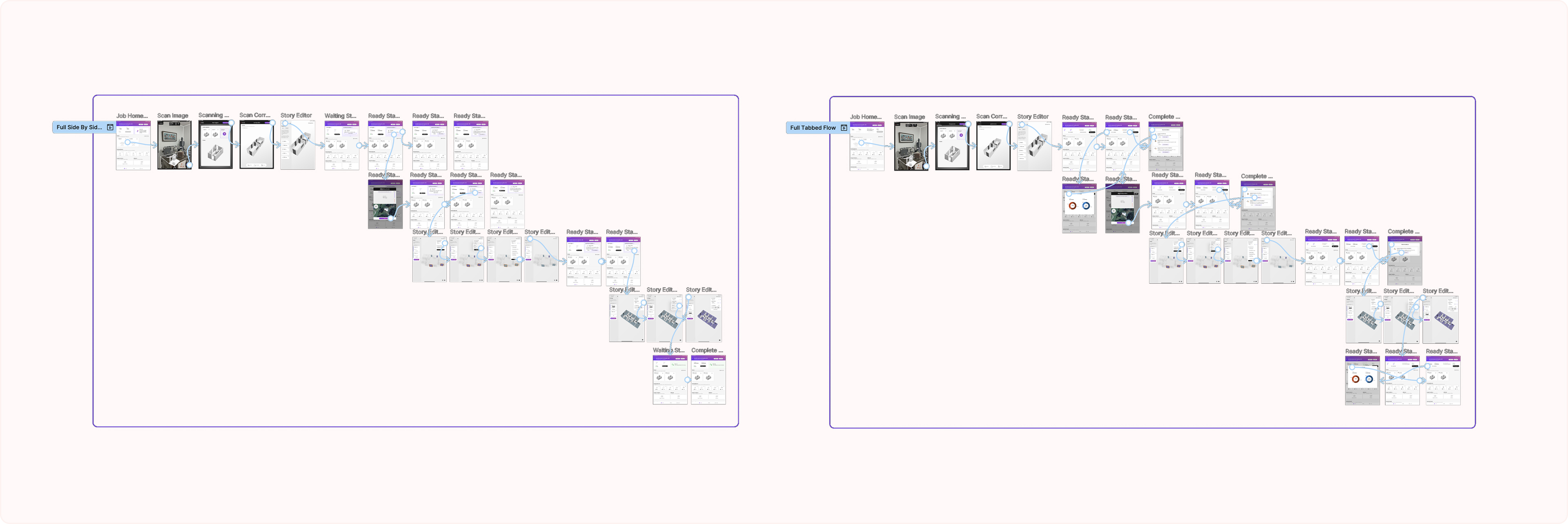
To incorporate those recommendations into the user flow, I audited Conduit app’s existing flow, and explored different ways to surface load recommendations to assess which one is most intuitive.
Drawing from my observation of how Comfort Advisors toured the customers’ homes and the distractions they had along the way, I designed a centralized place in the “Job Home” screen , where user can easily access and go through all load recommendations.
Increasing users’ trust in the app
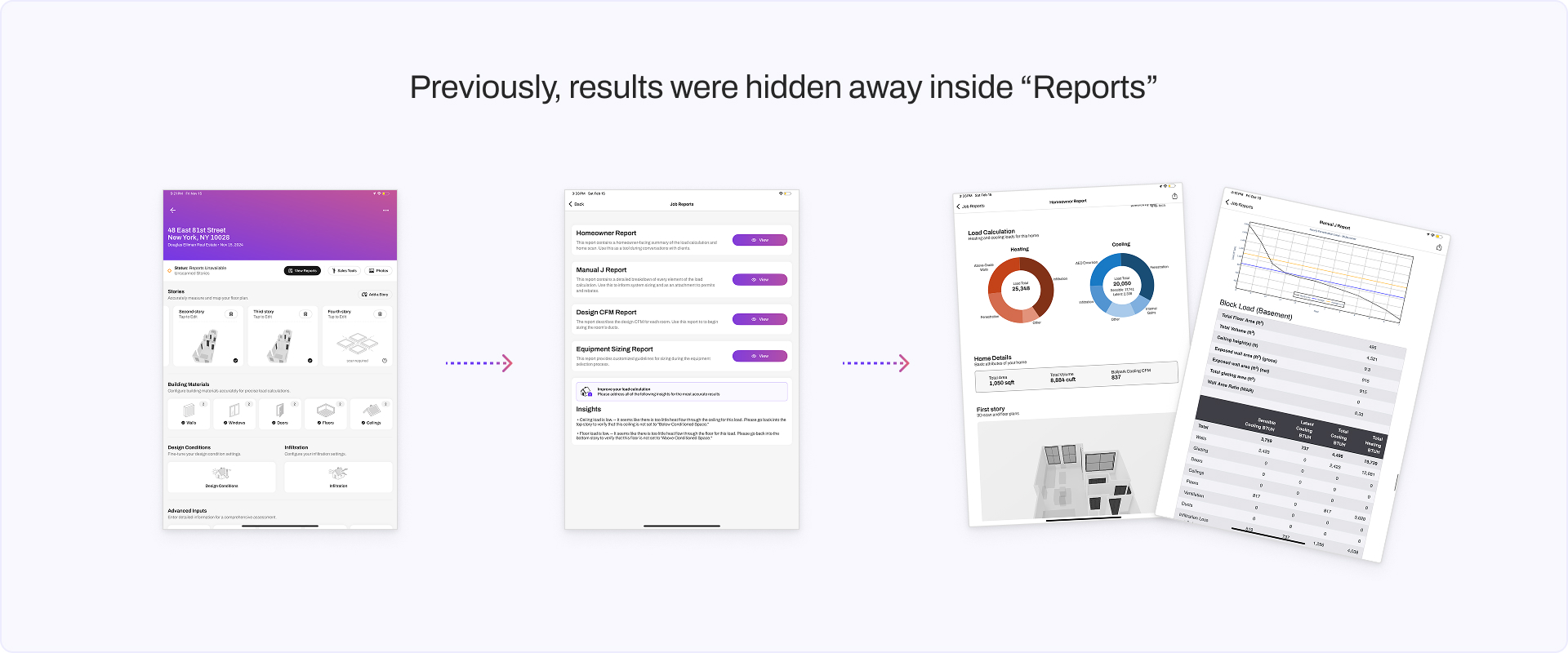
I noticed that users’ sense of assurance drop the most when they open the report - at the end of the workflow - and find out that the calculations are much lower or higher than what they had expected.
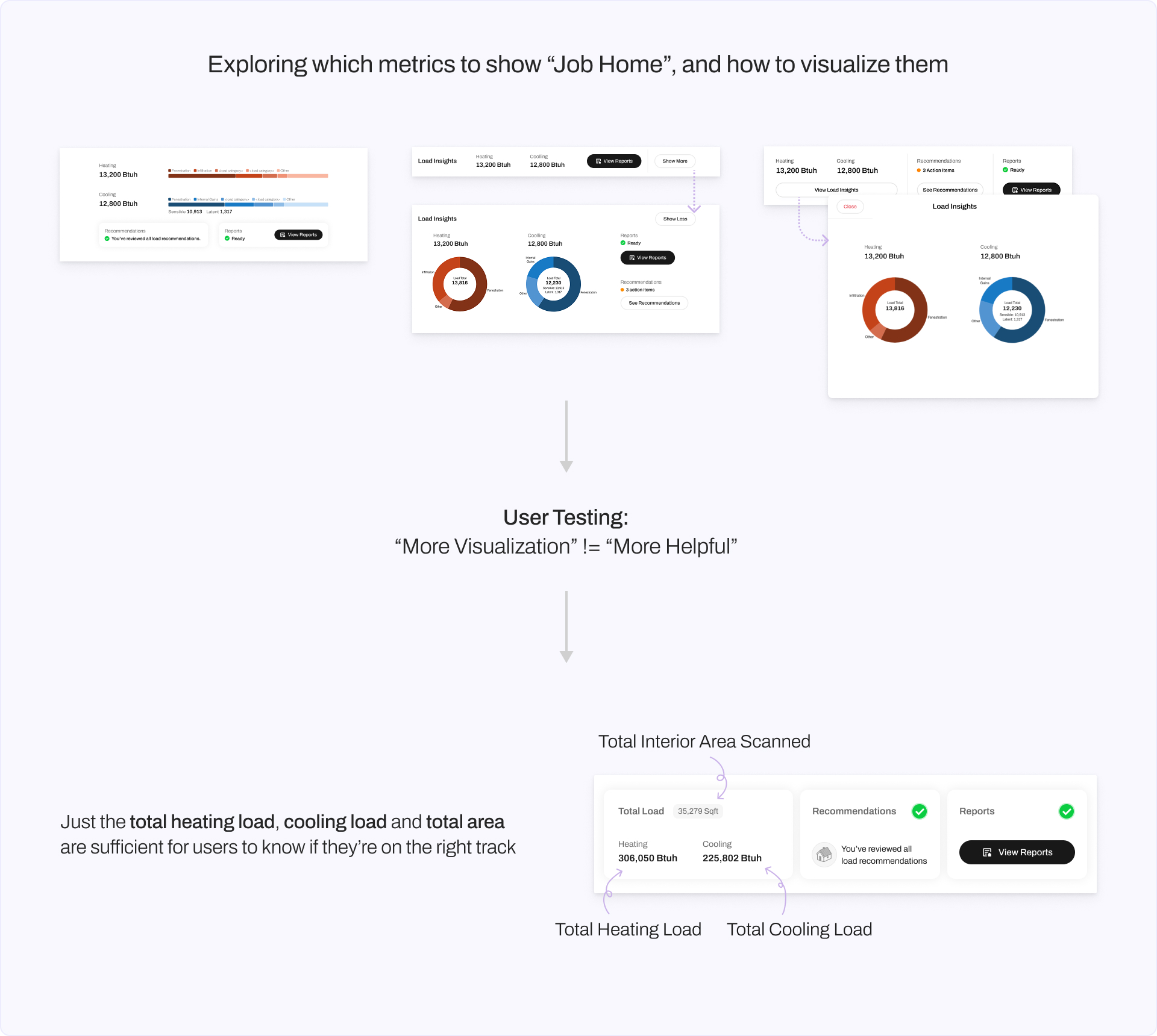
What if we reveal the load calculation results directly on the home page? User can see what heating and cooling loads as soon as they are computable, and the can see the numbers being updated as they make modifications in the app.
When users’ actions are correlated to changes in the app’s output, not only can we avoid the “surprise” moment at the end, but also our calculations will feel less like a black box.
RESULT & IMPACT
Load Calculation Insights & Recommendations
The final design is a compact and efficient load summary panel at the top of each project's home page ("Job Home"). It give users the most essential insights into their job status and load calculation values, will providing easy access to view and act on recommendations that will further improve their load calculation accuracy.
Consolidate UI Components and Integrations
Impact & Feedback
During the development and QA phase, this feature was already starting to gain positive feedback.

Immediately following the launch, the new Load Insights and Recommendations UI became widely used by novice users when they create new projects.
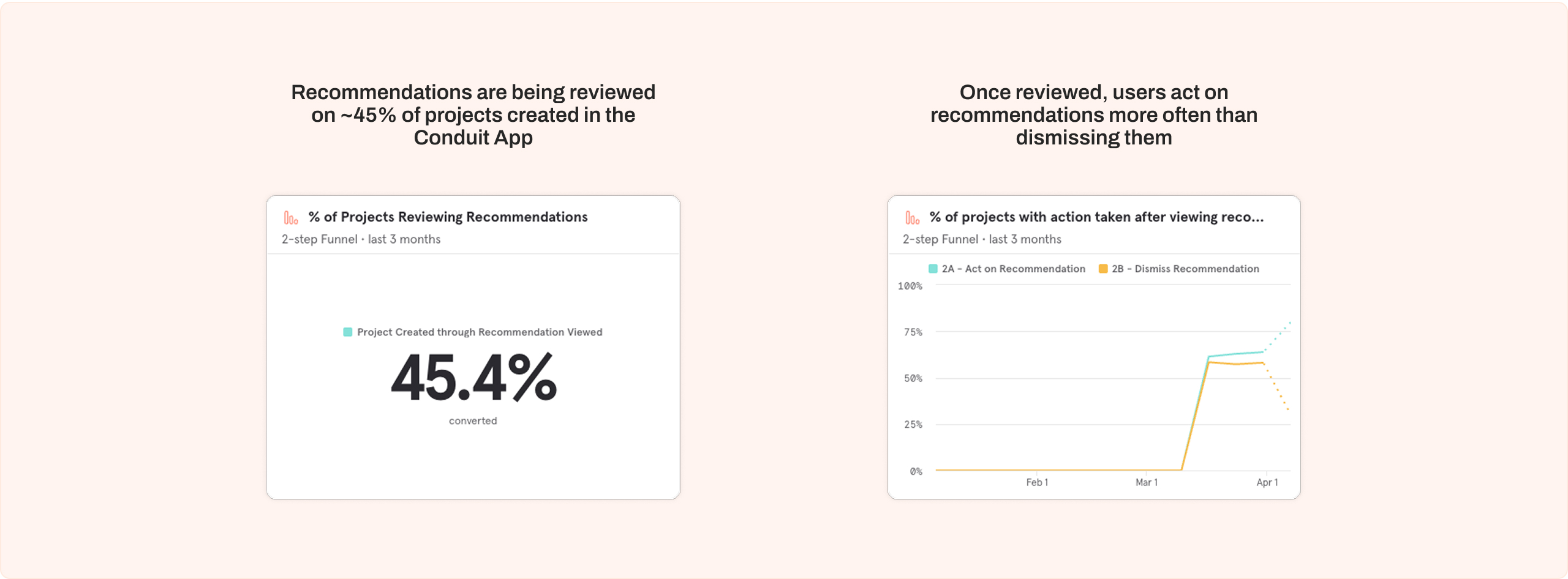
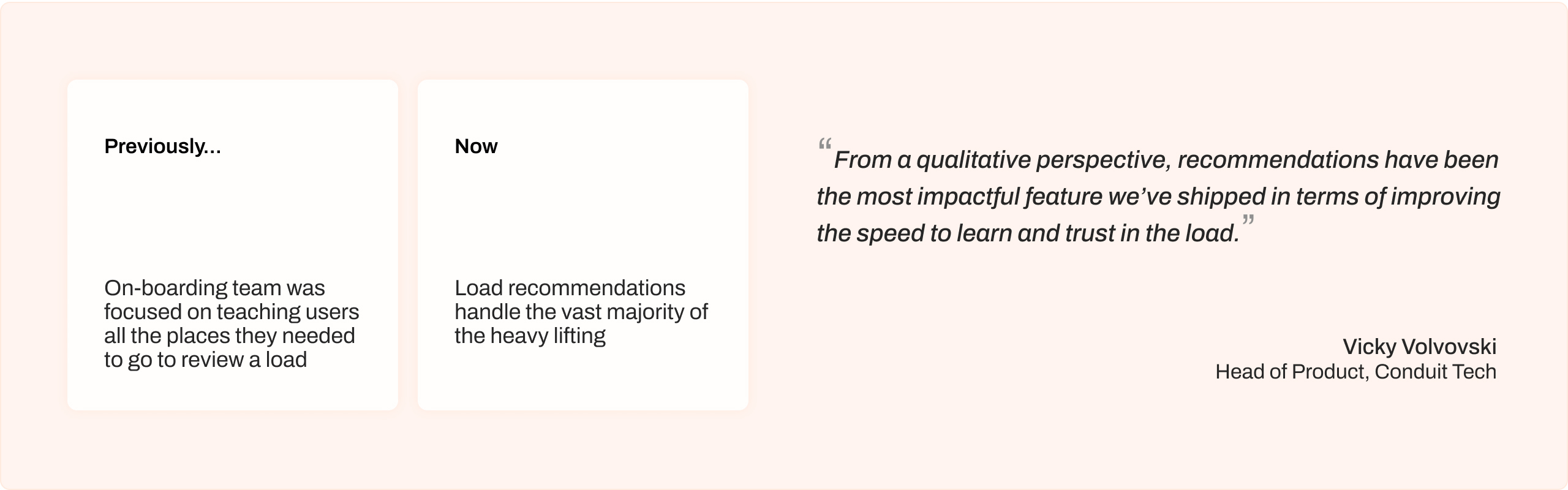
Qualitatively speaking, the effectiveness of load insights and recommendations means that much of the load calculation tips that users had to attend on-boarding sessions to acquire, are now supplied directly from the UI.